
A good senior caregiver schedule does three things: it matches the hours to what your loved one actually needs, it puts the care details where the caregiver can see them, and it records the hours worked so pay is accurate. Get those three right and most scheduling stress goes away. Our free app for caregivers is built for exactly this: the caregiver receives and approves schedule requests, sees every job in one calendar, tracks weekly hours and opens care details like allergies, medications and emergency contacts in one place.
TL;DR
- Start with the senior's needs, not the calendar. List personal care, meals, medications, appointments and household tasks, then turn them into hours.
- Put specific days, start times, end times and duties in writing, and agree how changes and urgent needs are handled.
- Keep allergies, medications, emergency contacts and routines in one shared place so every caregiver sees the same information.
- Track the hours actually worked each week. If you hire directly, accurate hours are the base for pay, overtime and payroll records.
- Caregivers use our app free, and we offer a one-time payroll consultation for families who hire directly.
Table of Contents
- 1. Start With What Your Loved One Needs
- 2. Turn Needs Into Specific Shifts
- 3. Plan for Changes Before They Happen
- 4. Share Care Details in One Place
- 5. Track the Hours Actually Worked
- 6. Keep Every Shift in One Calendar
- 7. Handle Pay and Payroll Correctly
- Our Perspective
- Get the Schedule and the Records Working Together
- FAQ
- Sources
1. Start With What Your Loved One Needs
Most schedules fail because they begin with open slots on a calendar. Begin with the person who needs care.
A care assessment is the usual first step. It looks at how well an older adult manages personal care, household tasks, appointments, medications, finances and legal matters. PBS's Caring for Your Parents handbook suggests using a checklist of activities of daily living (ADLs, the basic tasks such as bathing, dressing, eating and moving around) and says you can get help from an Area Agency on Aging or a geriatric care manager. An Area Agency on Aging is a local public office that connects older adults and families with services. A geriatric care manager is a professional who assesses needs and helps plan care.
The National Institute on Aging advises meeting with the older adult and everyone involved in care before a crisis, to talk about current and expected needs. If the senior can take part, include them. A schedule they helped shape is one they are more likely to accept.
A simple needs worksheet
Write down each task and note when it happens and how long it takes:
- Morning routine: waking, bathing, dressing, breakfast, morning medications.
- Midday: meals, mobility or exercise, light housekeeping, laundry.
- Afternoon and evening: appointments, errands, dinner, evening medications, getting ready for bed.
- Overnight: whether someone needs to be present, and whether they sleep or stay awake.
- Weekly and occasional: doctor visits, therapy, grocery trips, social outings.
Add up the hours by time of day. You will often find the need is uneven: heavy in the morning and evening, light in between. That shape tells you whether one caregiver on a steady shift is enough or whether two caregivers would fit better.
2. Turn Needs Into Specific Shifts
Once you know the hours, write the schedule so nobody has to guess. A vague plan such as "mornings, a few days a week" leads to missed tasks and disagreements about pay.

For seniors who direct their own care through a state program, the rules show what "specific" looks like. Montana's health department says self-directed caregivers should be scheduled for specific work days and times within authorized units, in 15-minute increments, with duties based on the approved service plan. The same guide says the member or their representative can choose caregivers, set their work schedule, train them on personal needs and routines, and supervise day-to-day work. Your state's program may differ, so check its rules if Medicaid or another program pays for any of the care. Even if you pay privately, the habit is worth copying.
What each shift should state
- The day, start time and end time.
- The duties for that shift, in order of priority.
- Medications to be given or reminded, with times.
- Any appointment, with address and transport plan.
- Who to call if something changes.
The Family Caregiver Alliance recommends making expectations clear and providing enough training for the caregiver to meet them. A shift description is the easiest way to do that, because the caregiver can read it again at any time.
3. Plan for Changes Before They Happen
A schedule that works only when nothing goes wrong will not last. Caregivers get sick, seniors have bad days, and appointments move. Decide these points at the start:
- How schedule changes are requested. Who asks, how much notice is expected, and who approves.
- What counts as urgent. Falls, a missed medication, a sudden change in condition, and who is called first.
- Backup coverage. If you hire a caregiver directly rather than through an agency, there is no agency to send a replacement. Line up a backup person, whether a second caregiver or a family member, before you need one.
- How often you will review the plan. The NIA says arrangements should be revised as needs and people's availability change.
The Family Caregiver Alliance also recommends regular conversations about concerns and changes, discussing problems promptly, documenting what is not working and agreeing on solutions together. It adds that good work deserves positive feedback. A short weekly check-in does more for retention than any scheduling tool.
Why approval matters
When a caregiver asks to swap a Tuesday for a Thursday, you need a clear yes or no on the record. In our app, the caregiver can receive and approve schedule requests, and time-off and reimbursement requests can be submitted and approved too. That keeps changes out of scattered text messages and in one place both sides can look at later. If you want to see how scheduling works in practice for caregivers, our caregiver scheduling guide walks through it.
4. Share Care Details in One Place
A schedule tells the caregiver when to be there. It does not tell them what they need to know once they arrive. That information has to travel with the schedule.
What to share:
- Allergies, including food and medication allergies.
- Medications with dose, timing, prescriber and pharmacy.
- Emergency contacts, including doctors and family members.
- Daily routines, meals and activities.
- Mobility needs and anything that has gone wrong before.
UnitedHealthcare's care organizer recommends recording medication dosage and schedule, prescriber and pharmacy, sharing the information with loved ones and care-team members, bringing it to medical visits, keeping it in a secure place because it holds personal information, and reviewing it each year.
A paper binder works until two caregivers need it at once, or until the one copy is at the wrong house. That is why we built care recipient profiles into the app: allergies, medications, emergency contacts, nap and nursing schedules and daily activities are available to the caregiver in one place. If you manage more than one caregiver, you can keep the same profile for everyone. Our digital care binder guide shows how to set one up in about 20 minutes, and our 48-hour care plan helps families who coordinate several caregivers.
5. Track the Hours Actually Worked
A schedule shows what was planned. Pay is based on what happened. If a caregiver stays an extra 45 minutes because a doctor's visit ran long, or leaves early, the record should show it.
There are practical reasons to keep this record:
- Accurate pay. Both you and the caregiver can see the same total at the end of the week.
- Fewer disagreements. A written record settles questions about a particular day.
- Overtime awareness. Long or overnight shifts can add up quickly across a week.
- Payroll records. A household that hires a caregiver directly is generally the employer and needs clean records of hours worked.
The app lets caregivers track weekly hours, view every job in a single calendar, and receive alerts. It also supports state-specific pay period and overtime tracking, and can generate flexible reports. The caregiver does the tracking, and you see the result.
If you want a basic free caregiver time clock with payroll-ready timesheets, that is the type of tool that handles clock-ins and overtime calculations. Our app combines hours with the schedule and care details, so the caregiver is not switching between tools. Our guide on home health aide scheduling software covers what to look for, and the caregiver daily log guide explains how to record what happened during each shift.
A worked example
Say your mother needs help from 7:00 a.m. to 11:00 a.m. on weekdays and from 5:00 p.m. to 8:00 p.m. on Tuesdays and Thursdays. That is 20 hours in the mornings plus 6 hours in the evenings, 26 scheduled hours a week. One week, the Thursday evening caregiver stays until 8:30 p.m. because dinner ran late, and Friday's morning shift ends at 10:30 a.m. because your mother has an early appointment. The scheduled total is 26 hours; the worked total is 26 hours and 30 minutes, minus 30 minutes, which is 26 hours. Without a record, you might each remember the week differently. With one, the answer is already written down.

6. Keep Every Shift in One Calendar
If your caregiver works for more than one household, or if several people share your parent's care, separate calendars cause double bookings. A single calendar view solves most of it. In our app, caregivers see all their jobs in one calendar, so a request from your household is checked against their other commitments before they approve it.
For families, the same principle applies: one shared record of who is covering which shift. Our guides on calendar sync and the unified family calendar explain the approach in more detail.
7. Handle Pay and Payroll Correctly
Hiring a caregiver directly often makes you a household employer. That brings payroll, tax and record-keeping responsibilities that many families do not expect. Scheduling and hour tracking are the foundation for this: pay periods, overtime and wage reporting all start with accurate hours.
We offer a Standard Payroll Consultation package for $150 one-off, and a Premium consultation for $150 one-off. For families who need to catch up, our Prior Wage Reporting & Household Payroll Cleanup Services are listed on the same page, with no published price. These are for household employers who need payroll, tax or compliance help, and they sit alongside the free app your caregiver uses.
Our Perspective
Families usually come to us after a scheduling problem, not before. A caregiver arrived to find the wrong medication notes. A shift change was agreed in a text and then forgotten. The hours were remembered differently by two people who both meant well.
We built the app around the caregiver because the caregiver is the person standing in the home. When a caregiver can see the schedule, answer a schedule request, find allergies and emergency contacts and record hours without paying for anything, the household gets accurate information without extra effort.
We also know that scheduling is only half of the job when you hire directly. Pay periods, overtime rules that vary by state and wage reporting are part of being a household employer. That is why we pair the free app with a one-time payroll consultation. Clear hours and clear records give both the senior and the caregiver peace of mind.
mercedes
Get the Schedule and the Records Working Together
If you hire a caregiver for yourself or a parent, ask your caregiver to start with our free app: it holds the schedule, the care details and the weekly hours together. If you also need help with household payroll, our consultation is a $150 one-off service.
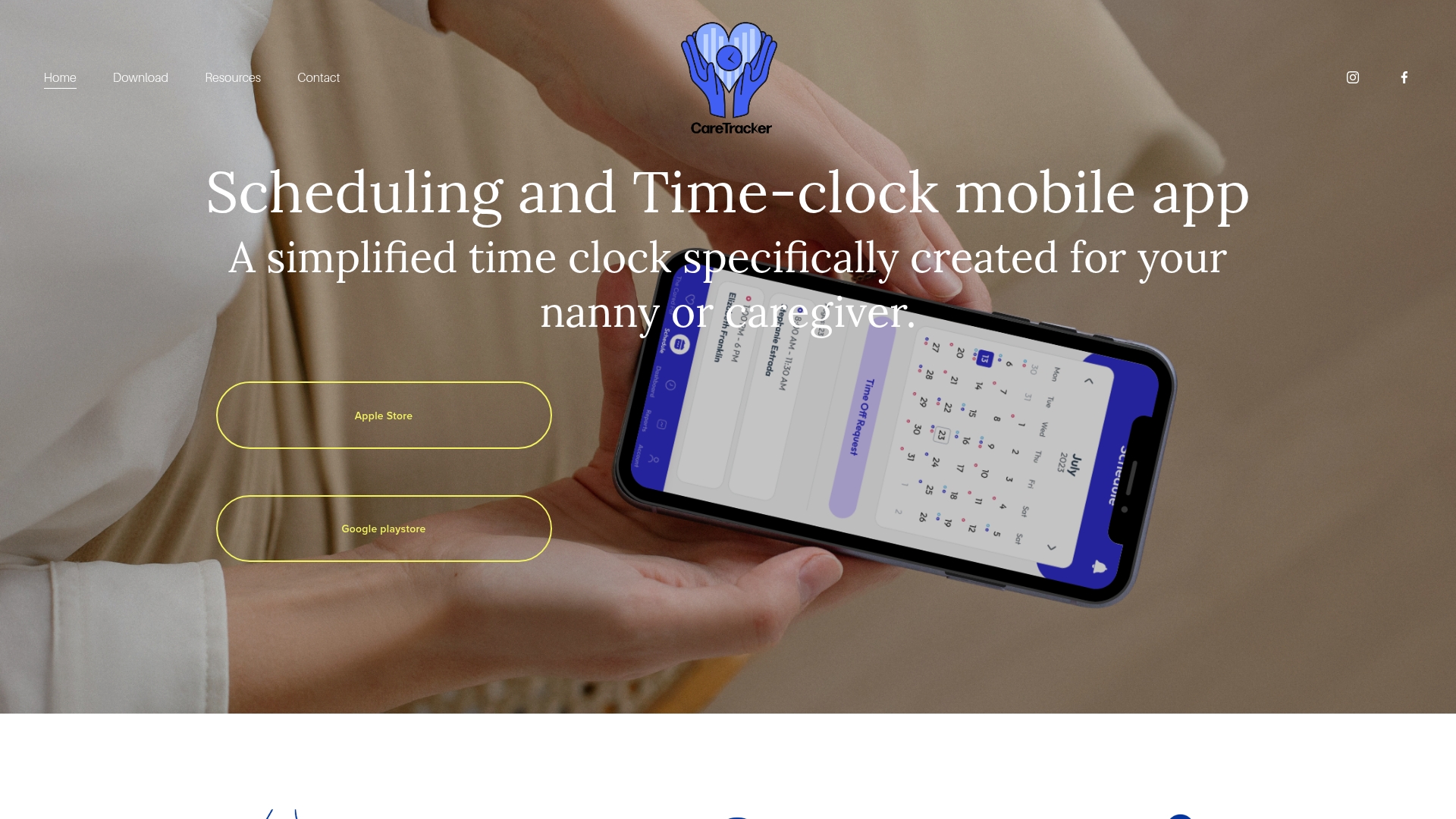
You can see how it works on the Caretracker home page or read about nanny time tracking. If you would like a person to go through your payroll situation, start with the payroll consultation page.
FAQ
How many hours of caregiver coverage does a senior need?
It depends on the senior's needs, not a fixed number. Start with a care assessment of personal care, meals, medications, appointments and household tasks, then add up the time each takes. A local Area Agency on Aging or a geriatric care manager can help you do this.
Who should be involved in making the schedule?
The senior, the family members who help with care and the caregiver. The National Institute on Aging advises talking with everyone involved before a crisis and revising the plan as needs and availability change. Assign tasks to the people best suited to them.
What should I do if my caregiver is sick or cannot come?
Plan for it in advance. If you hired the caregiver directly, there is no agency to send a replacement, so name a backup caregiver or family member and agree how urgent needs will be handled. Write this into the schedule agreement.
What care information should my caregiver have on day one?
Allergies, medications with dose and timing, prescriber and pharmacy, emergency contacts and daily routines. Keep the information in a secure place, share it with the care team and review it at least once a year.
Does the caregiver have to pay to use the app?
No. Our app is free for caregivers, including the schedule requests, the unified calendar, the hour tracking and the care information.
Sources
- Caring for Your Parents: Home Care, PBS
- Sharing Caregiving Responsibilities, National Institute on Aging
- Accessing Community First Choice Services, Montana DPHHS
- Hiring In-Home Help, Family Caregiver Alliance
- Your care organizer, UnitedHealthcare