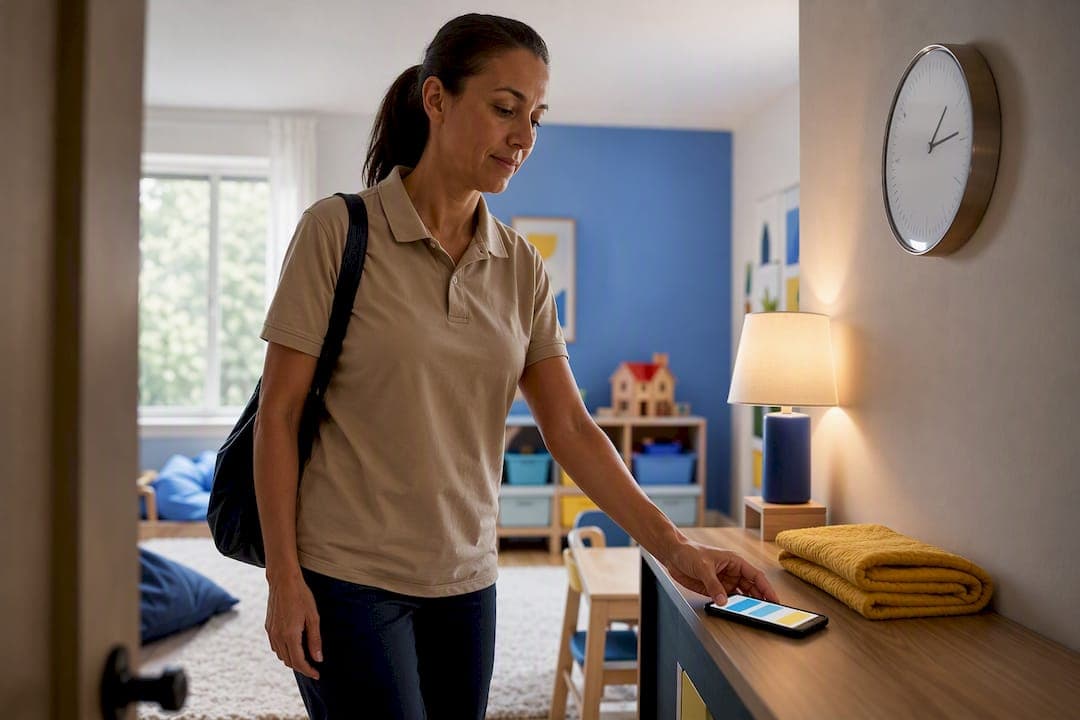
Caregiver time tracking works best as a shared, approved record: the caregiver logs each shift, and the family reviews and preserves that log. This protects pay accuracy, supports overtime calculations, and builds trust between both sides. Start with a shared calendar today, or set up a free CareTracker account to make the habit automatic.
TL;DR:
- Families should log detailed shift information, including date, start and end times, duties, pay rate, and overtime status to ensure audit-proof records.
- Using caregiver-specific apps like CareTracker improves accuracy and organization compared to manual timesheets or shared calendars, especially for multiple caregivers or variable hours.
- Optimal setup involves assigning logging to caregivers, establishing notification rules, providing onboarding, and documenting exceptions to prevent disputes.
- Household employers must retain payroll records for three years and time cards for two, with documentation of hours and agreements to avoid legal and tax issues.
- Delegating shift logging to caregivers and weekly review creates a clearer, more reliable audit trail and reduces family oversight, supporting compliance and trust.
Table of Contents
- What to Record for Every Caregiving Shift
- Manual Timesheets, Shared Calendars, or a Caregiver App: Which Should You Use?
- How to Set Up a Shared Time Tracking System
- What Federal Rules Require for Household Employee Records
- From Approved Hours to a Tax-Ready Paycheck
- Why Delegated Logging Beats Employer-Only Tracking
- How CareTracker Puts This System Into Practice
- Where to Verify the Details
- Sources
What to Record for Every Caregiving Shift
Accurate caregiver time tracking depends on capturing the right fields every single shift, not just a total hour count at the end of the week. Vague entries like "worked Tuesday" won't hold up if a wage dispute or audit ever comes up, and they make payroll math guesswork instead of fact.
Every entry should include:
- Date of the shift
- Start time and end time
- Total hours worked
- Any unpaid break time
- Duties performed (childcare, light housekeeping, errands, etc.)
- Pay rate for that shift
- Whether hours count toward overtime
- Approver signature or digital confirmation
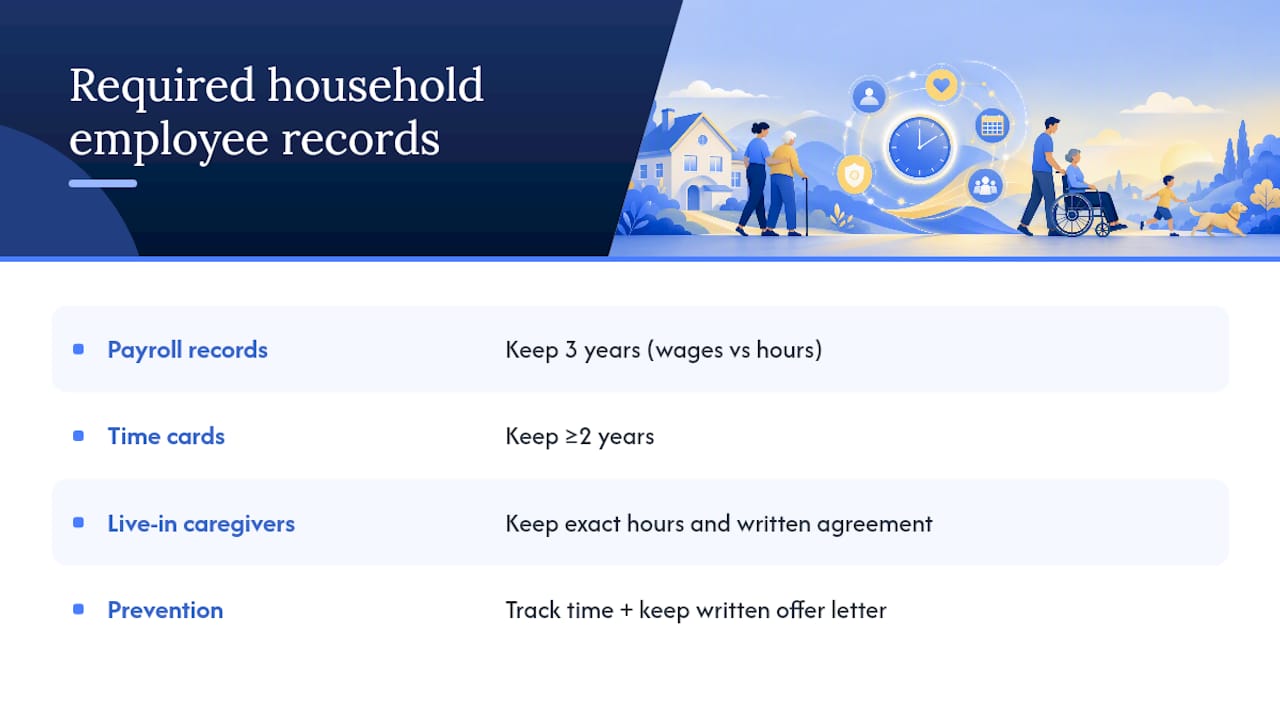
Optional but useful additions include short notes about the day, receipts for reimbursable expenses, and a care-recipient identifier if the caregiver works with more than one family or child. On the recordkeeping side, the U.S. Department of Labor requires payroll records to be kept for at least three years, and time cards or time records for at least two years. That distinction trips up a lot of families who assume one retention period covers everything.
Manual Timesheets, Shared Calendars, or a Caregiver App: Which Should You Use?
Every household ends up choosing between three basic methods, and the right one depends less on budget and more on how much friction the family and caregiver can tolerate.
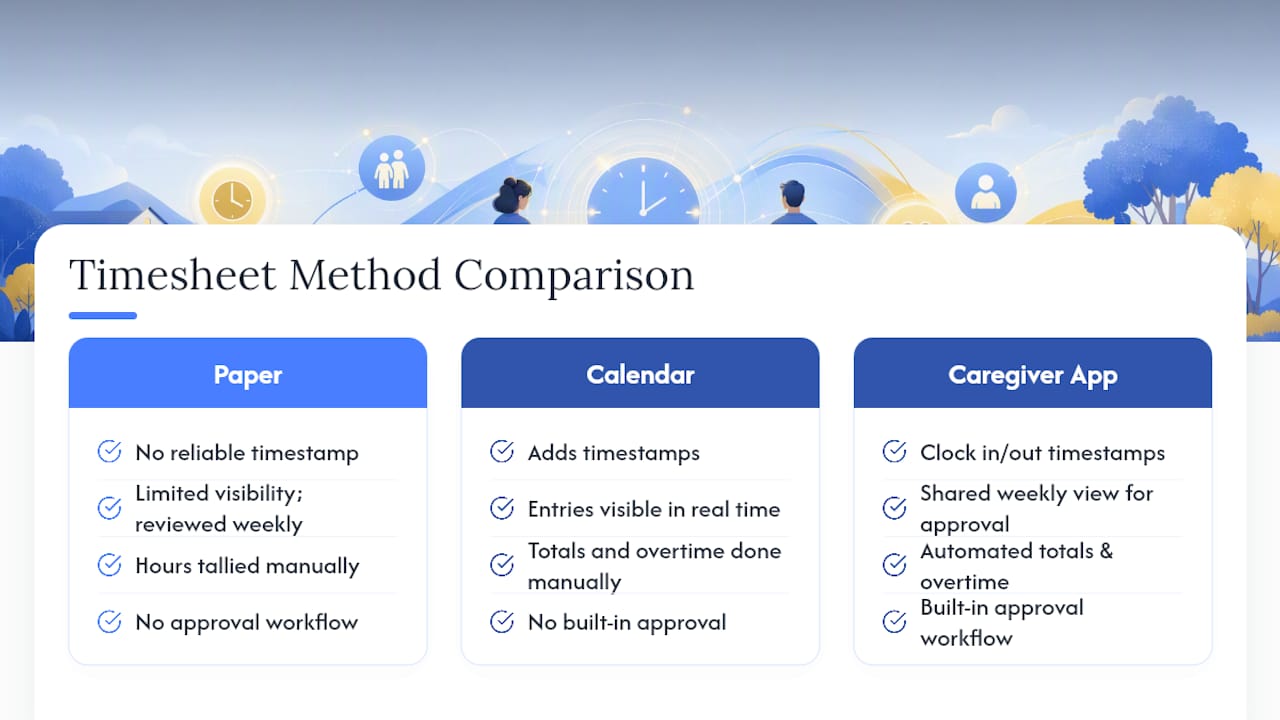
Manual paper timesheets are the simplest option and cost nothing to start. A caregiver jots down hours at the end of each shift, and the employer reviews the sheet weekly. The problem is durability: paper gets lost, edits are hard to track, and there's no timestamp proving when an entry was actually made. This method suits very short-term arrangements or trial periods, not ongoing employment.
Shared digital calendars (Google Calendar, for example) improve on paper by adding a timestamp and making entries visible to both parties in real time. They work well for households with predictable, steady schedules. The tradeoff is that calendars weren't built for payroll. Someone still has to manually total hours, separate overtime, and export something readable for tax records.
Purpose-built caregiver apps close that gap by combining logging, approval, and reporting in one place. A tool like CareTracker's time-tracking feature lets the caregiver clock in and out, gives the family a weekly view to approve hours, and generates records that are already organized for payroll. Practitioners increasingly recommend this style of setup because technology that streamlines activity logs and schedule confirmations reduces miscommunication between caregivers and families.
Pro Tip: If your household still relies on a spreadsheet, export one immutable weekly PDF and save it in a dedicated folder. That single habit mimics an audit-friendly timeclock report and closes the biggest gap in low-tech setups.
Use a calendar when the schedule barely changes and both people are diligent about updating it. Move to a dedicated app once you're juggling multiple caregivers, variable hours, or overtime math you don't want to do by hand.
How to Set Up a Shared Time Tracking System
A shared system only works if everyone knows their role before the first shift starts. Skipping this setup is the single biggest reason families end up with messy, disputed hours three months in.
- Assign logging to the caregiver. The person doing the work is in the best position to log it accurately, in real time. The employer's job is weekly review and approval, not daily data entry.
- Set a notification rule. A 48-hour window works well for minor schedule changes, while bigger shifts (a new weekly schedule, added days) deserve a full week's notice. Pick whatever channel both people already check, whether that's text, a shared app, or email.
- Build in onboarding overlap. A period of overlap with structured check-ins over the first several months gives new caregivers time to see how logging works before they're doing it solo.
- Practice with sample entries. Walk through two or three fake shifts together so everyone agrees on what "start time" or "break" actually means in practice.
- Document exceptions early. Decide now how you'll handle a forgotten clock-out or a late arrival, so it's a five-minute fix instead of a weekly argument.
Our internal guide on caregiver scheduling walks through this rollout in more detail if you want a template to copy.
What Federal Rules Require for Household Employee Records
Household employers are held to real recordkeeping standards, not suggestions. The Department of Labor requires employers to track hours worked and wages paid for non-exempt domestic workers, keeping payroll records for three years and time cards for at least two.
Fast fact: that two-year minimum for time cards is often shorter than families expect, but the three-year payroll record requirement is the one that actually matters most in a dispute, since it covers wages actually paid against hours actually logged.
For live-in caregivers, the rules get more specific. The exact number of hours worked each pay period has to be preserved, along with the written live-in agreement itself. Skipping this step is one of the most common household mistakes, right alongside treating a caregiver as a contractor when the relationship legally makes them an employee. Advisors who work with household employers point to consistent time tracking and a written offer letter as the two habits that prevent the most legal exposure. Fixing both is usually a one-afternoon project, not a legal overhaul.
From Approved Hours to a Tax-Ready Paycheck
Turning a week of logged shifts into an accurate paycheck follows a predictable sequence, and skipping a step is what usually creates a mess come tax season.
- Approve hours weekly. Don't let logs pile up for a month; review and sign off every week while details are fresh.
- Convert approved hours into a payroll-ready timesheet, flagging anything that crosses into overtime territory.
- Store copies for at least three years, matching the DOL's payroll retention standard.
- Use those records for W-2 reporting and dependent-care credit documentation. The IRS Household Employer's Tax Guide outlines exactly what qualifies and what paperwork supports it.
If a caregiver works across multiple states, or the arrangement involves live-in complexities, bring in a payroll professional rather than guessing. The cost is small compared to the risk of getting multistate withholding wrong.
Why Delegated Logging Beats Employer-Only Tracking
Household employers often assume they need to track hours themselves to stay in control. In practice, the opposite tends to be true. When the caregiver logs their own shifts and the employer simply reviews and approves, you get a cleaner, timestamped audit trail than most families manage on their own, and the relationship starts to feel like a professional partnership rather than a supervision exercise.
Three lessons show up again and again in households that get this right: build in real onboarding overlap so the caregiver learns the logging habit before it matters, review and approve hours weekly instead of letting a month pile up, and document exceptions the moment they happen instead of relying on memory later. Features like schedule requests, summaries, and shared notes support these habits without adding extra work for either side.
— mercedes
How CareTracker Puts This System Into Practice
Everything in this checklist, the shift details, the weekly approval, the notification habits, maps directly onto features built into CareTracker. Caregivers clock in and out, the family gets a weekly view to approve hours, schedule requests help streamline communication, and care notes live in the same place as the time log instead of scattered across apps.

Setup takes minutes, not hours, and every core feature caregivers use, clocking hours, viewing jobs, submitting schedule requests, is completely free. Families who want extra help with payroll or tax compliance can explore CareTracker's additional app services once the basic tracking habit is in place. If you're still relying on paper or a calendar that nobody updates consistently, the next step is simple: set up your free time tracking account and have your caregiver log their next shift there instead.
Where to Verify the Details
For the legal specifics behind this guide, check the DOL's domestic service recordkeeping fact sheet and IRS Publication 926 for tax questions. Need a starting template? Download our nanny timesheet template or compare broader tracking approaches through InvoiceLabs' time-tracking overview.
Sources
- U.S. Department of Labor — Fact Sheet: Domestic service and recordkeeping
- IRS Publication 926 — Household Employer's Tax Guide
- Baker Tilly — Hidden compliance risks of employing household staff