
Use a ready-made nanny timesheet template (PDF or Google Sheet) paired with Thecaretracker for digital tracking, and you will have accurate hours, automatic overtime calculation, and payroll-ready exports from day one.
Get started in three steps:
- Print or copy the template, then have your nanny log one full pay period
- Review totals together at the end of each week
- Both of you sign off at the close of every pay cycle
Digital tools reduce manual errors and automatically flag overtime, which makes Thecaretracker a practical upgrade once your paper workflow is running smoothly.
Table of Contents
- What fields does a nanny timesheet need to include?
- Where to get your PDF and Google Sheet templates
- How to calculate daily hours, weekly totals, and overtime
- How to sign, store, and retain timesheets correctly
- Why a digital app can outperform paper and spreadsheets
- Key Takeaways
- The case for getting the system right from the start
- Thecaretracker makes accurate nanny payroll straightforward
What fields does a nanny timesheet need to include?
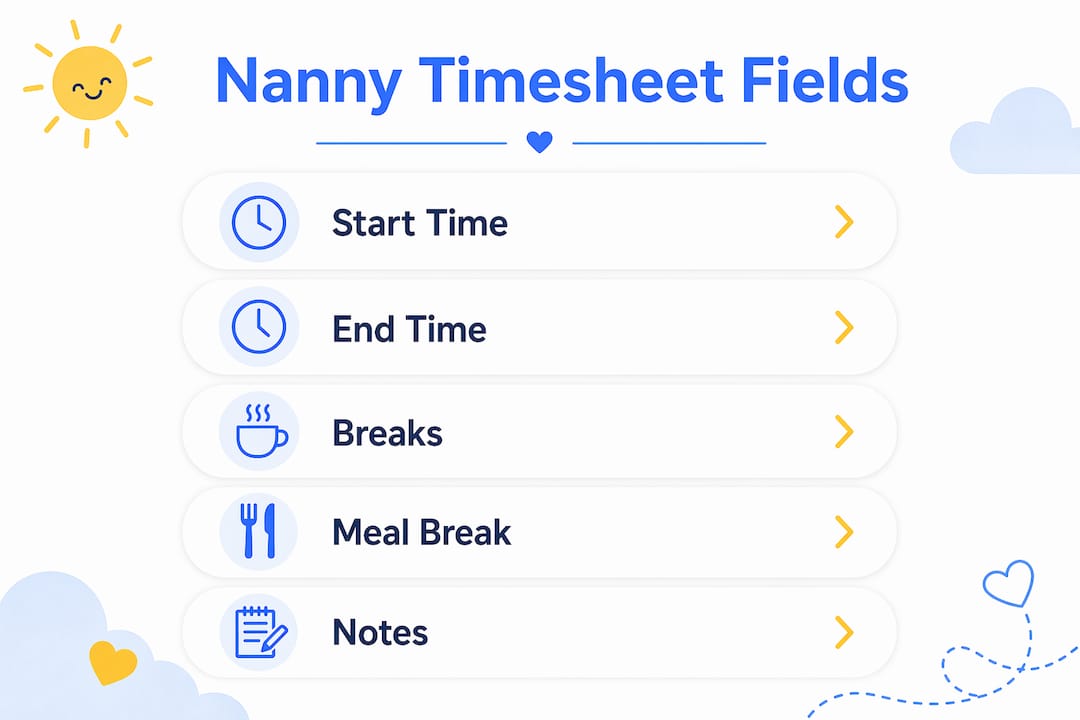
A well-structured nanny timesheet captures every data point your payroll and tax records will ever need. Missing even one field can create disputes at pay time or gaps during a wage audit.
Required fields:
- Employee name and employer name
- Pay period start and end dates
- Date of each shift
- Shift start time and end time
- Meal/rest break start and end times
- Total hours per day
- Weekly hour totals
- PTO and sick leave hours (tracked separately)
- Pay-rate markers: regular, overtime, holiday
- Notes (early pickups, schedule changes, special tasks)
- Employer signature line and employee signature line
Each field earns its place. Break start/end times, for example, are not just a formality. Meal and rest break documentation is a frequent audit trigger, and missing that column can expose you to state wage-and-hour penalties. Pay-rate markers let you calculate a blended regular rate when your nanny works at different rates across the week, which the Fair Labor Standards Act (FLSA) requires for accurate overtime pay.
Pro Tip: Add a "notes" column from the start, even if it stays blank most weeks. One line about an early pickup or a schedule swap can resolve a pay dispute in seconds.

Where to get your PDF and Google Sheet templates
Two formats cover almost every household situation. Many families print a new timesheet every two weeks and use Google Sheets for automatic totals, so having both on hand gives you flexibility.
| Format | Best for | How to get it |
|---|---|---|
| Printable PDF | Simple signed records, no internet needed | Download, print, hand to nanny |
| Google Sheets | Automatic totals, editable pay-rate formulas | File → Make a copy, share link with nanny |
| Excel (.xlsx) | Offline spreadsheet with formula support | Download, open in Excel, save locally |
| Digital app | Real-time clock in/out, overtime alerts, exports | Sign up for Thecaretracker (free for caregivers) |
How to set up the Google Sheet in three minutes:
- Open the template link and click File → Make a copy to save it to your own Google Drive.
- Enter your nanny's name, your pay period dates, and your agreed hourly rate in the header fields.
- Share the sheet with your nanny (view or edit access) so she can log times directly.
- Lock the formula cells so totals cannot be accidentally overwritten.
When to choose which format: Paper works well for households with a single nanny and a predictable schedule. A spreadsheet adds value the moment you have variable hours or a second caregiver. A dedicated app like Thecaretracker makes sense when you want automatic overtime flags and one-click payroll exports without touching a formula.
How to calculate daily hours, weekly totals, and overtime
Accurate pay starts with accurate math. These formulas work in Google Sheets and Excel.
Core formulas:
- Daily hours:
= End Time − Start Time − Unpaid Break Duration - Weekly total:
= SUM(Monday:Friday daily hours) - Overtime (federal baseline):
= MAX(0, Weekly Total − 40)at 1.5× the regular rate
Sample week calculation:
| Day | Start | End | Break | Daily Hours | Rate |
|---|---|---|---|---|---|
| Monday | — | — | 0.5 hr | — | Regular |
| Tuesday | — | — | 0.5 hr | — | Regular |
| Wednesday | — | — | 0.5 hr | — | Regular |
| Thursday | — | — | 0.5 hr | — | Regular |
| Friday | — | — | 0.5 hr | — | Regular |
| Total | — | 40 regular + 5.5 OT |
At a $20/hr regular rate, the 5.5 overtime hours pay at 1.5 times the regular rate, adding a premium amount to the base pay for a weekly total.
State-law caveat: Federal FLSA sets overtime at 40 hours per week, but some states go further. California enforces meal and rest break rules and has overtime protections for domestic workers that can trigger daily overtime thresholds. Check your state's labor department rules before finalizing your template.
Multiple pay rates: Mark each row with a rate code (R = regular, OT = overtime, H = holiday). To find the blended regular rate when rates differ, add all straight-time earnings for the week and divide by total hours worked. Apply the 0.5× overtime premium to that blended rate for any hours over 40.
How to sign, store, and retain timesheets correctly
A signed timesheet is your clearest protection against a wage dispute. The workflow below keeps records clean without adding much time to your week.
Weekly workflow:
- Nanny logs hours at the end of each day (or clocks in/out digitally).
- You review the weekly totals every Friday before sign-off.
- Both parties sign the pay-period summary before payment is issued.
- You scan or photograph the signed sheet and file it with your payroll records.
Compliance specialists recommend a short attestation signed by both parties on every timesheet to support tax and labor documentation. That one line of certification text, shown in the section above, is what transforms a log into a legal record.
Retention rule: Keep signed timesheet records for at least three years. State labor departments may audit household employers, and a missing record is treated the same as a missing payment.
Store both a digital copy (cloud folder or payroll software export) and a physical signed copy in a binder. That hybrid approach satisfies most audit requests without scrambling for paperwork.
Pro Tip: If your state or program requires Electronic Visit Verification (EVV), treat the EVV record as the primary file and keep your timesheet as a backup. Submitting both without reconciling totals is a common cause of claim denials.
Why a digital app can outperform paper and spreadsheets
Paper timesheets work, but they require discipline from both parties and manual math that is easy to get wrong. A purpose-built app removes most of that friction.
Features that matter most for household employers:
- Clock in/out from a phone: Your nanny logs time in real time, eliminating end-of-week memory gaps.
- Automatic overtime calculation: The app flags hours over 40 per week without any formula work on your part.
- Shift approval workflow: You review and approve each logged shift before it becomes a payroll record.
- Multiple pay-rate support: Mark regular, overtime, and holiday shifts separately; the app calculates the blended rate.
- Care information in one place: Allergies, medications, emergency contacts, and nap schedules live alongside the time log.
- Export-ready reports: Download a payroll-ready summary for your accountant or household payroll service in one click.
Thecaretracker's time-tracking features cover all of these. The app is completely free for caregivers, so your nanny can start logging immediately with no cost barrier. For employers who need help reconciling prior wage records, Thecaretracker also offers payroll consultation packages to clean up past reporting before you move to a digital workflow.
Key Takeaways
A signed, complete nanny timesheet paired with a digital tracking tool is the most reliable way to pay accurately, avoid disputes, and satisfy U.S. payroll and tax requirements.
| Point | Details |
|---|---|
| Use both formats | Keep a printable PDF for signed records and a Google Sheet or app for automatic totals. |
| Capture every required field | Include break times, pay-rate markers, and dual signature lines on every pay period. |
| Apply the correct overtime rule | Federal FLSA sets overtime at 40 hours per week; some states (like California) add daily thresholds. |
| Retain records for at least three years | State labor departments can audit household employers; signed copies are your primary evidence. |
| Thecaretracker simplifies the workflow | The free app handles clock in/out, overtime flags, shift approvals, and payroll exports in one place. |
The case for getting the system right from the start
Timesheets feel like paperwork until the day you actually need one. A pay dispute, a tax audit, or even a simple disagreement about hours worked on a holiday can turn a good working relationship tense very quickly. What I have seen, again and again, is that the families who set up a clear logging and sign-off process in the first week rarely have problems later. The ones who skip it and rely on memory or informal texts are the ones scrambling to reconstruct months of records when something goes wrong.
The shift from paper to a digital workflow is not about distrust. It is about giving both you and your nanny a neutral, agreed record that neither of you has to defend. When the app logs the clock-in and you approve the shift, there is nothing to argue about. That transparency is genuinely good for the relationship, not just for compliance.
One thing most guides understate: the break documentation requirement. Many household employers track start and end times carefully but leave the break column blank. In states with strict meal and rest break rules, that blank column is the audit trigger, not the hours themselves. Build the break fields into your template from day one, even if your nanny rarely takes a formal break.
Thecaretracker makes accurate nanny payroll straightforward
Tracking hours on paper is a reasonable starting point, but it puts the math and the memory on you. Thecaretracker gives you a free, purpose-built alternative: your nanny clocks in and out from her phone, you approve each shift, and the app calculates overtime automatically using your state's rules.

For employers who want to go further, Thecaretracker's payroll consultation service connects you with experts who can help set up your household payroll correctly or clean up prior wage records. The caregiver app is free to download and use. If you are ready to replace the spreadsheet with something that does the work for you, start tracking nanny hours with Thecaretracker today.