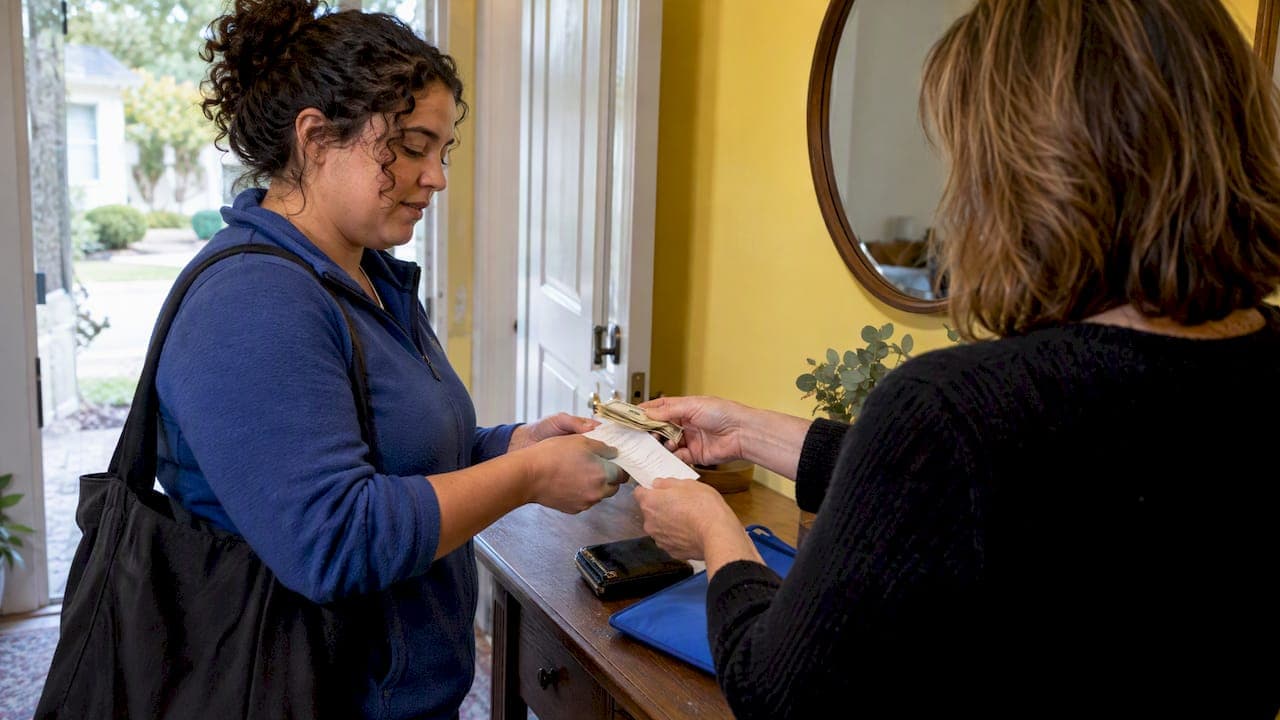
You can be paid in cash, but the single most important thing is to record every payday with a dated receipt or timesheet. The moment you receive cash, write down the date, hours worked, and amount paid, then save a backup such as a phone photo or an app entry so you have proof later.
TL;DR:
- Proper documentation requires recording date, hours, amount paid, and employer confirmation with signatures or messages on each payday.
- Digital tools with timestamps provide a more objective and reliable audit trail than memory-based records, especially for legal and tax purposes.
- Records must include pay period details, hours, pay rate, gross pay, cash paid, and signatures or confirmation; storing copies in multiple locations is recommended.
- Household employers are legally required to retain payroll records for at least three years, and caregivers should keep their own documentation for the same period.
- Maintaining consistent habits such as daily logging, prompt record creation, and obtaining written confirmations significantly reduces legal and financial risks for caregivers.
- ✓Track weekly hours accurately
- ✓Receive and approve schedule requests
- ✓View jobs in one calendar
- ✓Access allergies and medications
Table of Contents
- Quick checklist: fields and documents to create on payday
- Step-by-step: how to log hours and cash payments so records hold up
- Using apps and templates to document cash pay
- What to include on a cash-pay receipt or pay stub
- Record retention and the basics caregivers should know about DOL and IRS rules
- If you don't have records now: reconstruction steps and where to get help
- Legal implications and risks of paying a nanny in cash
- Tax responsibilities for employers paying cash
- How to handle Social Security and Medicare taxes for cash payments
- State-specific labor laws related to cash nanny payments
- Best practices to ensure compliance and avoid penalties
- How to formalize a nanny employment agreement when paying cash
- A caregiver habit that saved me headaches
- How Thecaretracker helps you record cash pay and export reports
- FAQ
- Sources
Quick checklist: fields and documents to create on payday
Every payday, we recommend building a simple record before the cash leaves your hands. A complete record protects you if a question ever comes up about hours, pay, or your work history.
- Date and family name: who paid you and when.
- Start and end times: the exact hours you worked that period.
- Total hours and pay rate: how your gross pay was calculated.
- Cash amount paid and any remaining balance: what you actually received.
- Signatures or a confirmation: your signature and the employer's acknowledgment, even a text message counts.
Attach anything that backs up the numbers: a schedule approval from your app, a text confirming the amount, or a photo of the signed receipt. For timestamps, use your phone's camera (most photos save the date automatically) or one of the best free financial wellness tools that logs entries with a time stamp. Keep your file names consistent, something like the date followed by the family's name, so you can find records fast if you ever need them.
Step-by-step: how to log hours and cash payments so records hold up
A record only helps you if it was created close to the time you actually worked, not pieced together months later. Building the habit into your routine takes a few minutes a day.
- Log daily start and end times along with a short note on duties, right after your shift ends.
- Turn daily logs into a weekly timesheet that totals your hours for the pay period.
- Create a pay receipt on payday showing hours worked, your rate, gross pay, and the cash amount handed over.
- Get a signature or message confirmation from the employer acknowledging the amount paid.
- Save both a paper and digital copy, a photo of the signed receipt plus a spreadsheet or app export.
Pro Tip: Right after you're paid, send the employer a short message listing the date, hours, and amount, and ask them to reply "confirmed." That one text can become your strongest piece of evidence later.
This workflow matters because the family and the IRS or Social Security Administration will often treat a contemporaneous, signed record as credible evidence, while a record created from memory months later carries far less weight. According to industry guidance on cash nanny pay, a dated, signed receipt or a photo-backed timesheet is often accepted by lenders or benefits agencies when a W-2 isn't available.
Using apps and templates to document cash pay
Writing things down on paper works, but an app adds something paper can't: a timestamp you didn't create yourself. That small detail often makes the difference when someone questions whether a record was made at the time or added later.
- Log hours daily as you finish each shift so nothing gets forgotten.
- Request schedule approval from the family through the app so both sides agree on hours before payday.
- Export a weekly pay report that totals hours, rate, and gross pay automatically.
- Attach a photo of your signed cash receipt to that same report so hours and payment live in one file.
Household payroll specialists point out that timestamped digital entries create a more objective audit trail than memory-based reconstruction, which matters if you ever need to prove income for a loan application or a benefits review.
Our nanny time tracking tool lets you log hours daily, get schedules approved, and pull a weekly report in a few taps. If you prefer a printable option, our nanny pay stub guidance walks through building a simple paper receipt with the same fields.
What to include on a cash-pay receipt or pay stub
A receipt doesn't need to look official to hold up. It needs the right fields, written clearly, every single time.
- Employer and employee names, written the same way on every receipt.
- Pay period dates: the specific days the receipt covers.
- Hours worked and pay rate: enough detail to recalculate gross pay from scratch.
- Gross pay, cash paid, and any remaining balance: so the math is transparent.
- Signatures and the date signed: proof both sides agreed on the amount.
It helps to add a one-line description of duties and note separately if the payment includes overtime or a reimbursement, since those get asked about in disputes. If the employer gives you a tax ID or EIN, record that too. For storage, name files consistently, something like a date followed by the family name and the word "pay," and keep copies in at least two places: your phone and a cloud folder or email draft. Our nanny pay stub template includes a ready-made layout with all of these fields built in.
Record retention and the basics caregivers should know about DOL and IRS rules
You don't have to be an accountant to understand why these records matter. The Department of Labor's recordkeeping fact sheet for domestic service workers requires household employers to keep payroll records for at least three years, while timecards and other records used to compute pay must be kept for at least two years. Those records need to include your hours per day, total hours per week, your pay rate, and total wages paid, details that DOL Fact Sheet #21 spells out as standard requirements under the Fair Labor Standards Act.
The employer carries the legal duty to maintain these records, but the DOL permits them to ask you to track your own hours and submit them for approval, which is exactly the habit this article recommends.
On the tax side, IRS Publication 926 explains that when a W-2 isn't required, a receipt listing dates worked, wages paid, and a description of the work helps you report income accurately on your own tax return. These records also matter beyond taxes: they support your Social Security earnings history, back up an unemployment claim if your job ends, and protect you if your income is ever questioned during a benefits review.
If you don't have records now: reconstruction steps and where to get help
To miss records happen, but you can rebuild a reasonable history without inventing dates or numbers that don't hold up to scrutiny.
- Gather contemporaneous evidence you already have: text messages, calendar entries, bank withdrawal slips, or photo timestamps from your phone.
- Ask the family for a written statement confirming the dates you worked and the amounts paid, even a short email works.
- Build a dated reconstruction log listing each payday with your best estimate of hours and cash received, and label it clearly as a reconstruction rather than an original record.
- Avoid backdating anything: a reconstruction log created today should say so, not pretend to be from months ago.
If you're trying to correct prior wage reporting or aren't sure how to proceed, a payroll specialist or benefits counselor can help you sort out next steps without creating new problems.
Legal implications and risks of paying a nanny in cash
Being paid in cash is not against the law on its own. The risk comes from what happens around it: unreported income, missing wage records, or no proof of hours worked if a dispute ever comes up.
Without documentation, you have little to fall back on if a family disputes how many hours you worked or how much you were paid. That same gap can also affect your ability to prove income when applying for a loan, housing, or certain public benefits. Industry guidance on cash nanny pay notes that cash is a payment method, not a substitute for payroll or written records, and that failing to document pay creates real compliance risk for both sides of the arrangement.
There's also a longer-term risk tied to your own future. If your wages were never reported, you may have gaps in your Social Security earnings record, which can affect retirement or disability benefits down the road. Keeping your own dated records, even when the employer isn't formally reporting wages, gives you something to point to if you ever need to show what you actually earned and when.
None of this means cash pay is automatically a problem. It means the burden of proof falls more heavily on you when there's no paper trail, so building one from day one protects your own interests regardless of what the employer eventually decides to report.

Tax responsibilities for employers paying cash
Even when wages are paid in cash, household employers still have federal tax responsibilities tied to those payments. IRS Publication 926 explains that once cash wages reach a set threshold in a year, they generally count as wages for Social Security and Medicare purposes, which means the employer may need to withhold and report them using Schedule H and issue a W-2.
As the caregiver, you're not responsible for your employer's filing decisions, but the outcome affects you directly. If wages are reported, you'll receive a W-2 that reflects your actual pay. If they aren't, keeping your own dated receipts becomes the only record you have of what you earned, which matters when you file your own return.
When a W-2 isn't issued, the IRS guidance in Publication 926 specifically recommends that employers provide a receipt so the worker can report income accurately. If that doesn't happen on the employer's end, your own payday receipts and timesheets fill that gap and give you something concrete to work from when it's time to file.
How to handle Social Security and Medicare taxes for cash payments
Social Security and Medicare taxes don't disappear just because you're paid in cash. Whether they get withheld and reported depends on whether your employer crosses the reporting threshold Publication 926 describes for household employees in a given year.
If your employer withholds these taxes, that amount should show up on the W-2 you receive, and your payday receipts should match those totals over the course of the year. If taxes aren't being withheld, it's worth asking your employer directly whether they plan to report your wages, since that decision affects your own tax filing and your long-term Social Security earnings record.
Either way, your own dated records, hours, pay rate, and cash received, let you reconstruct your actual earnings if there's ever a mismatch between what you were paid and what gets reported. That record becomes especially useful if you ever need to correct a Social Security earnings statement that doesn't reflect wages you know you received.
State-specific labor laws related to cash nanny payments
Federal rules set a floor, but your state may add requirements on top of them, things like more frequent pay stub disclosures, specific overtime calculations, or stricter wage statement rules for domestic workers. These vary enough from state to state that a rule common in one place may not apply where you work.
Because of that variation, we won't list specific state rules here, since getting one wrong could lead you to rely on information that doesn't apply to your situation. Your state's department of labor website is the most reliable place to check what applies specifically to domestic workers or nannies.
What stays constant everywhere is the value of your own documentation. Whatever your state requires from the employer, your own dated receipts, timesheets, and confirmation messages give you a record that holds up regardless of which state-specific rule might apply to your particular job.
Best practices to ensure compliance and avoid penalties
You're not the one filing payroll taxes, but a few habits protect you no matter what your employer ultimately reports. Consistency is the common thread running through all of them.
Record your hours the same way every single day, not just on days that feel important. Create a payday receipt every time money changes hands, never skip one because the amount was small or the week was unusual. Save backups in more than one place, a photo on your phone plus a copy in email or cloud storage, so a lost phone doesn't mean lost records.

Ask for a brief written confirmation after each payment, even a one-line text reply works, and keep those messages rather than deleting them. If something about your pay or hours doesn't match your own records, raise it early rather than letting discrepancies pile up over months. Small, consistent habits built around every payday do more to protect you than any single document created after the fact.
How to formalize a nanny employment agreement when paying cash
A written agreement doesn't require a lawyer, and it works just as well alongside cash payments as it does with any other payment method. At minimum, it should spell out your hourly rate or salary, expected hours, days off, and how pay will be handled on days you're sick or the family cancels.
Put the agreement in writing before you start, even a simple one-page document both of you sign. Include how often you'll be paid, cash on a set day each week or every other week, and how receipts will be handled. If responsibilities change later, a short written update works better than relying on a verbal conversation to cover a disagreement months down the line.
Having this agreement in place doesn't replace the payday records this article focuses on, it supports them. An agreement sets the terms everyone agreed to, while your receipts and timesheets prove what actually happened each pay period. Together, they give you a much stronger position if a question about pay or hours ever comes up.
A caregiver habit that saved me headaches
I started photographing every signed cash receipt and logging hours the same day I worked them, then texting the family a short summary after each payday. That habit meant I never had to reconstruct anything from memory, and my Social Security earnings record matched what I actually earned. If you only adopt one habit from this article, try logging hours daily through a template or an app workflow.
— mercedes
How Thecaretracker helps you record cash pay and export reports
We built our app around the exact habits this article describes, because getting paid in cash shouldn't mean guessing at your hours months later. Our app is free for caregivers.

- Approve schedules directly in the app so hours can be agreed on before you work them.
- View your jobs in one calendar.
- Track weekly hours and export a pay report.
- Attach a photo of a signed cash receipt to your pay report.
Log your hours, get the schedule approved, then on payday export your weekly report and attach your receipt photo, done. If the family you work for wants help getting their payroll compliant or cleaning up prior wage reporting, point them to our payroll consultation and cleanup services, including the Standard Payroll Consultation package for $150. Start tracking your hours today with our scheduling and time-clock app.
FAQ
Is it legal to be paid in cash as a nanny?
Yes, cash is a legal payment method, but it isn't a substitute for proper wage records according to industry guidance on cash nanny pay. Keeping a dated receipt or timesheet for every payment protects you regardless of your employer's formal wage reporting.
How long should I keep my own pay records?
Household employers are required to keep payroll records for at least three years and timecards for at least two years under DOL Fact Sheet #79C. We recommend caregivers keep their own copies for at least that long, since your records may be the only proof of income you have.
What should a cash-pay receipt include?
A complete receipt lists the pay period dates, hours worked, your rate, gross pay, the cash amount paid, and a signature from both you and the employer. Our nanny pay stub guidance includes a template with all of these fields built in.
What if my employer never gives me a W-2?
IRS Publication 926 recommends that employers provide a receipt when a W-2 isn't required, so you can still report your income accurately. Your own dated payday records serve the same purpose if that receipt never comes.
Can an app replace paper receipts entirely?
An app gives you a timestamped record that's harder to dispute than a handwritten note created later, which is why we built hour logging and report exports into our time tracking tool. Many caregivers keep both: an app export plus a photo of a signed paper receipt, for the strongest possible record.
Sources
- Fact Sheet #79C: Recordkeeping Requirements for Individuals, Families, or Households Who Employ Domestic Service Workers Under the FLSA | U.S. Department of Labor
- Publication 926 (2026) — Household Employers
- Is It Legal to Pay a Nanny in Cash? W-2, Taxes and Proof of Income Explained