
If you hire a nanny directly and pay them yourself, you are required to complete Form I-9 for that employee. This applies whether your nanny works full-time, part-time, or lives in your home. The two immediate steps: have your nanny complete Section 1 of Form I-9 no later than their first day of work, then examine their original documents and complete Section 2 within three business days of that first day.
Before the start date, prepare these basics:
- Download the current Form I-9 and its instructions from USCIS
- Print the Lists of Acceptable Documents to give your nanny
- Plan secure storage for the completed form, separate from other personnel files
- Never tell your nanny which specific documents to bring
Pro Tip: Set a calendar reminder for three business days after your nanny's start date. Missing the Section 2 deadline is one of the most common household employer mistakes, and it carries real penalties.
Key Takeaways
Household employers who hire nannies directly must complete Form I-9, retain it for a mandatory period defined by law, generally several years after hire or for a set time after termination, and never demand specific documents from the employee.
| Point | Details |
|---|---|
| Section 1 deadline | Your nanny completes Section 1 no later than their first day of work. |
| Section 2 deadline | You complete Section 2 within a few business days after the nanny's first day, or on the first day if the employment duration is very short. |
| Originals only | Examine original, unexpired documents; photocopies are not acceptable except certified birth certificates. |
| Retention rule | Keep each I-9 for three years after hire or one year after termination, whichever is later. |
| Thecaretracker | Use the app to track hours, set reverification reminders, and access payroll consultation when needed. |
Table of Contents
- Who counts as the employer and when a nanny needs an I-9
- Nanny I-9 requirements: a step-by-step checklist
- What documents you should expect to see
- Anti-discrimination rules and common mistakes to avoid
- How to store I-9s and when to reverify
- Penalties and when to get professional help
- Situations where you may not need to complete an I-9
- What the CareTracker team sees most often
- Thecaretracker keeps your household employer records organized
- Sources
Who counts as the employer and when a nanny needs an I-9
You are the household employer if you hire and pay the nanny directly, even if you pay through a payroll service. That employer status means the I-9 obligation falls on you, not on a platform or agency.
Most nanny situations require Form I-9. A few do not:
- Regular nanny (full-time or part-time): I-9 required
- Live-in nanny: I-9 required
- Nanny employed by a staffing or domestic service agency: the agency is the employer of record and handles the I-9; you do not complete one
- Truly sporadic, occasional babysitter with no regular schedule or pay arrangement: generally exempt, though the line between "occasional" and "regular" is narrow
- Independent contractor: technically exempt, but misclassifying an employee as a contractor to avoid I-9 obligations creates serious tax and enforcement risk
USCIS I-9 Central confirms that most employers must complete Form I-9 for every person they hire for employment in the United States, and domestic workers are explicitly included in that rule.
Pro Tip: When you are unsure whether your arrangement qualifies as an exception, treat the worker as an employee and complete the I-9. The cost of a paperwork violation is far lower than the cost of an enforcement action.
Nanny I-9 requirements: a step-by-step checklist
Follow these steps in order from job offer to file storage.
-
Job offer accepted. Do not ask your nanny to complete Section 1 before you have made and they have accepted a job offer. After acceptance, they may complete it early, but no later than their first day.
-
First day of work. Your nanny completes Section 1 of the form. Give them the form instructions and the Lists of Acceptable Documents. USCIS instructions are clear: Section 1 must be done by the end of the first day of employment.
-
Within three business days. You (or your authorized representative) physically examine the original, unexpired documents your nanny presents and complete Section 2. If the job lasts fewer than three business days total, complete Section 2 by the first day. USCIS Section 2 guidance confirms that physical examination is required unless you use a DHS-authorized alternative remote procedure.
-
Complete Section 2 fields. Record the document title, issuing authority, document number, and expiration date. Sign and date the employer certification block. The person who physically examined the documents must be the one who signs.
-
Supplements when needed. If a preparer or translator helped your nanny complete Section 1, use Supplement A. When you rehire a former nanny or need to reverify expiring work authorization, use Supplement B.
Timeline example: Nanny starts Monday. Section 1 done by end of Monday. Section 2 due by end of Thursday (three business days later). If the nanny was only hired for two days, Section 2 is due by Monday.
A few firm rules to keep in mind:
- Never accept photocopies in place of originals (certified birth certificates are the one exception)
- Return original documents to your nanny immediately after reviewing them
- Do not back-date any section of the form
Pro Tip: You can designate a trusted adult, such as a relative or notary, to act as your authorized representative and physically examine documents on your behalf. That person must still sign Section 2 and is legally responsible for what they attest.
What documents you should expect to see
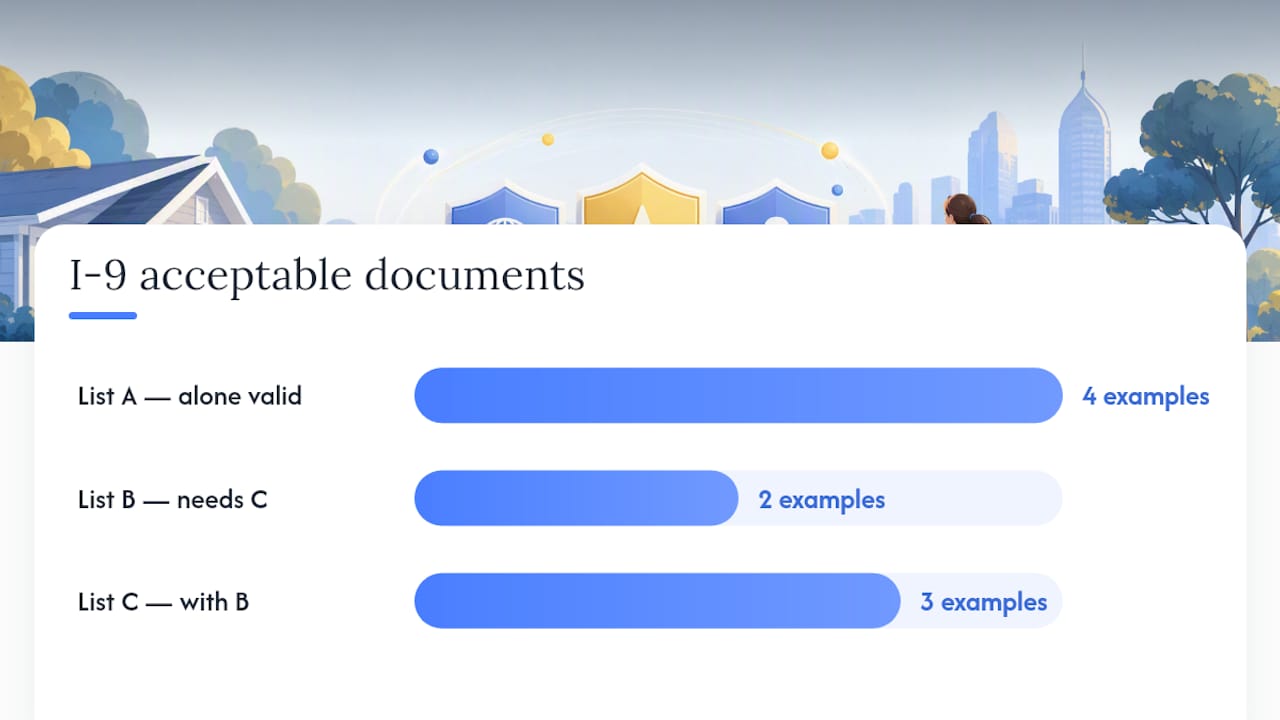
Form I-9 divides acceptable documents into three lists. Your nanny presents either one document from List A, or one from List B combined with one from List C.
| List | What it proves | Common examples |
|---|---|---|
| List A | Identity and employment authorization together | U.S. passport, U.S. passport card, Permanent Resident Card (Green Card), Employment Authorization Document (EAD) |
| List B | Identity only | State driver's license with photo, state ID card with photo |
| List C | Employment authorization only | Social Security card (unrestricted), U.S. birth certificate, Consular Report of Birth Abroad |
A few practical notes:
- A driver's license plus a Social Security card is a valid List B + C combination
- A state ID plus a certified birth certificate is equally valid
- An EAD with an automatic extension notice from USCIS counts as a valid document during the extension period; note the extension in Section 2 and set a reverification reminder
- Receipts for lost, stolen, or damaged documents can serve as temporary placeholders for 90 days; you must reverify when the actual document arrives
USCIS anti-discrimination guidance is explicit: you must accept any document or combination from the lists that reasonably appears genuine. You cannot demand a specific document.
Pro Tip: Print the Lists of Acceptable Documents from the USCIS website and hand them to your nanny before their start date. This gives them time to locate documents and removes any pressure on day one.
Anti-discrimination rules and common mistakes to avoid
The Immigration and Nationality Act (INA) prohibits treating job applicants or employees differently based on national origin or citizenship status during the I-9 process. USCIS is direct: demanding specific documents or rejecting valid documents on those grounds is an unfair immigration-related employment practice.
Common household employer mistakes:
- Asking only for a Green Card or Social Security card (illegal; you must accept any valid List A or B+C combination)
- Accepting a photocopy instead of an original
- Signing Section 2 without having physically examined the documents
- Completing Section 2 late or leaving fields blank
- Treating a nanny who "sounds foreign" differently during the verification process
The rule is simple: hand your nanny the Lists of Acceptable Documents and let them choose what to present. Your job is to examine what they bring and confirm it reasonably appears genuine. Specifying what to bring, or rejecting a valid document, puts you at legal risk regardless of your intent.
If your nanny needed a preparer or translator to complete Section 1, that person fills out Supplement A. This is common when a nanny is more comfortable in another language, and it is a fully supported process.
Pro Tip: Create a short pre-hire checklist that includes "hand nanny the Lists of Acceptable Documents" as a step. This one habit prevents the most common anti-discrimination violation household employers make.
How to store I-9s and when to reverify
Keep completed I-9 forms separate from your general personnel file. Store them securely and make them available within three business days if DHS, DOL, or DOJ requests an inspection.

The USCIS instructions set a clear retention rule: keep each Form I-9 for three years after the hire date or one year after the employment ends, whichever date is later.
| Scenario | Retention deadline |
|---|---|
| Nanny hired January 1; still employed | Keep until at least January 1, 2027 |
| Nanny hired January 1; terminated March 1 | Keep until one year after termination date |
Reverification applies when your nanny's employment authorization expires. Complete Supplement B at that point. Do not reverify U.S. citizens or lawful permanent residents whose Green Cards expire; their authorization does not expire with the card. For a nanny with an EAD that has an automatic extension, note the extension details and reverify only when the extension period ends.
If government officials request an inspection, you have three business days to produce the forms. Index your I-9s by employee name and hire date so you can locate any form quickly.
Penalties and when to get professional help
Paperwork violations, such as missing signatures or late completion, carry civil money penalties even when the employee was authorized to work. Knowingly hiring an unauthorized worker carries higher penalties and potential criminal exposure. Using a non-compliant electronic storage system also creates liability, since USCIS requires that electronic I-9 systems meet specific DHS standards.
Seek professional help when:
- You receive a Notice of Inspection from DHS or ICE
- A document presented by your nanny appears inconsistent or raises questions
- You realize you never completed an I-9 for a current or former nanny
- You have complex household payroll questions involving tax withholding or prior-year corrections
Practical steps if you suspect a problem:
- Document every action you take and when you took it
- Consult a qualified immigration attorney or household payroll specialist
- Consider Thecaretracker's payroll consultation services for household payroll cleanup and prior-year corrections
Pro Tip: Good-faith effort matters in enforcement. Keeping organized records and correcting errors promptly demonstrates compliance intent and can reduce penalties.
Situations where you may not need to complete an I-9
USCIS domestic worker guidance identifies narrow exceptions to the I-9 requirement:
- Agency-employed workers: if a domestic staffing agency employs the caregiver and you pay the agency rather than the individual, the agency handles the I-9
- Truly sporadic help: an occasional babysitter with no regular schedule, no set pay rate, and no ongoing arrangement may fall outside the employee definition
- Independent contractors: a genuine contractor relationship (the worker sets their own hours, uses their own tools, works for multiple clients) does not require an I-9 from you
Part-time and live-in nannies do not qualify for any exception. If you pay someone regularly to care for your child in your home, they are an employee.
Misclassifying a nanny as an independent contractor to avoid I-9 and payroll obligations is one of the riskier moves a household employer can make. The IRS and state labor agencies apply specific tests to determine worker classification, and the consequences of getting it wrong include back taxes, penalties, and interest.
Pro Tip: If your nanny sets their own hours, works for other families independently, and invoices you, a contractor relationship may be defensible. If you set the schedule and they work exclusively for you, they are almost certainly an employee.
What the CareTracker team sees most often
The single most common error we see from household employers is a missed Section 2 deadline. Parents are busy, the nanny's first week is hectic, and three business days passes faster than expected. The second most common error is storing the I-9 inside the general personnel file, which makes it harder to produce quickly during an inspection.
Simple habits prevent both: set a phone reminder for the Section 2 deadline the moment you confirm a start date, and create a dedicated folder (physical or digital) for I-9 forms only. Thecaretracker's time-tracking features and schedule tools help you stay organized around your nanny's start date, so compliance tasks don't get buried under day-to-day care coordination.
Thecaretracker keeps your household employer records organized

Completing Form I-9 correctly is your legal responsibility, and Thecaretracker does not replace that process. What it does is make the surrounding organization far easier. Use the app to track your nanny's hours accurately from day one, set reminders for reverification dates when work authorization nears expiration, and keep care details like emergency contacts and schedules in one secure place. When payroll questions arise, Thecaretracker's payroll consultation package connects you with specialists who handle household employer compliance, including prior-year corrections. For integrated payroll solutions that pair with your household setup, a dedicated payroll partner can fill the gaps that a general service misses. Start with the free CareTracker app at Thecaretracker and add consultation services when you need them.
Sources
Official USCIS resources every household employer should bookmark:
- 4.0 Completing Section 2: Employer Review and Verification | USCIS
- Instructions for Form I-9, Employment Eligibility Verification
- Completing Form I-9 | USCIS I-9 Central
This article is general information, not a substitute for advice from a qualified lawyer. Consult a qualified legal professional about your own circumstances before acting on anything here.