Thecaretracker is the top HomePay alternative for nannies and in-home caregivers in the U.S. It is completely free for caregivers and brings hour tracking, schedule approvals, and care information into one mobile app. No subscription, no hidden fees on your end.
Here is what makes it the right pick:
- Free for caregivers. Core features cost you nothing, ever.
- Mobile-ready timers with approval workflows. Clock in, clock out, and get employer sign-off in the same app.
- Published roster with instant push updates. Schedule changes reach you immediately, no text threads required.
- Care profile access. Allergies, medications, emergency contacts, nap and nursing schedules, all in one place.
- Payroll and export support for employers. Hours export cleanly, and employers can access a payroll consultation when they need help reconciling wages.
Integrated scheduling tools cut scheduling errors by 60–80% and missed visits by 30–50% compared to manual methods. That is the operational difference between a purpose-built caregiver app and a generic time tracker.
Table of Contents
- How do the best HomePay alternatives compare?
- How do you choose the right app for your situation?
- Why we recommend Thecaretracker as the top pick
- How to switch apps without losing pay or care records
- Key Takeaways
- The trade-off most caregivers miss
- Useful sources
How do the best HomePay alternatives compare?
| Feature | Thecaretracker | Caregiver-specific apps | General time trackers | Family communication apps |
|---|---|---|---|---|
| Best for | Nannies, babysitters, in-home caregivers | Nannies and agency caregivers | Freelancers, gig workers | Families coordinating care at home |
| Free for caregiver? | Yes, fully free | Varies; often employer-paid | Usually free tier available | Usually free |
| Scheduling (roster, push, approvals) | Published roster, instant push, approval workflow | Often yes | Rarely; basic calendar only | Limited; no formal approvals |
| Time tracking and approval workflow | Accurate timers, employer approval | Varies by app | Strong timers, weak approvals | None or minimal |
| Care info sharing (allergies, meds, naps) | Full care profiles built in | Sometimes | No | Partial (notes only) |
| Mobile clarity and availability controls | Yes, availability and time-off controls | Varies | Basic | No |
| Payroll/export support | CSV export; employer payroll consultation | Varies | CSV export; no payroll help | No |
| Platforms | iOS, Android, web | iOS, Android | iOS, Android, web | iOS, Android |
Quick picks by situation:
- Solo nanny with one employer: Thecaretracker covers every need at zero cost to you, from timers to care notes.
- Multi-family or agency-side caregiver: Look for caregiver-specific apps with multi-client calendar views; Thecaretracker's unified calendar handles multiple jobs in one place.
- Caregiver who needs strong care-note sharing: Thecaretracker's built-in care profiles (allergies, medications, emergency contacts) beat general time trackers and family communication apps on this dimension.
How do you choose the right app for your situation?

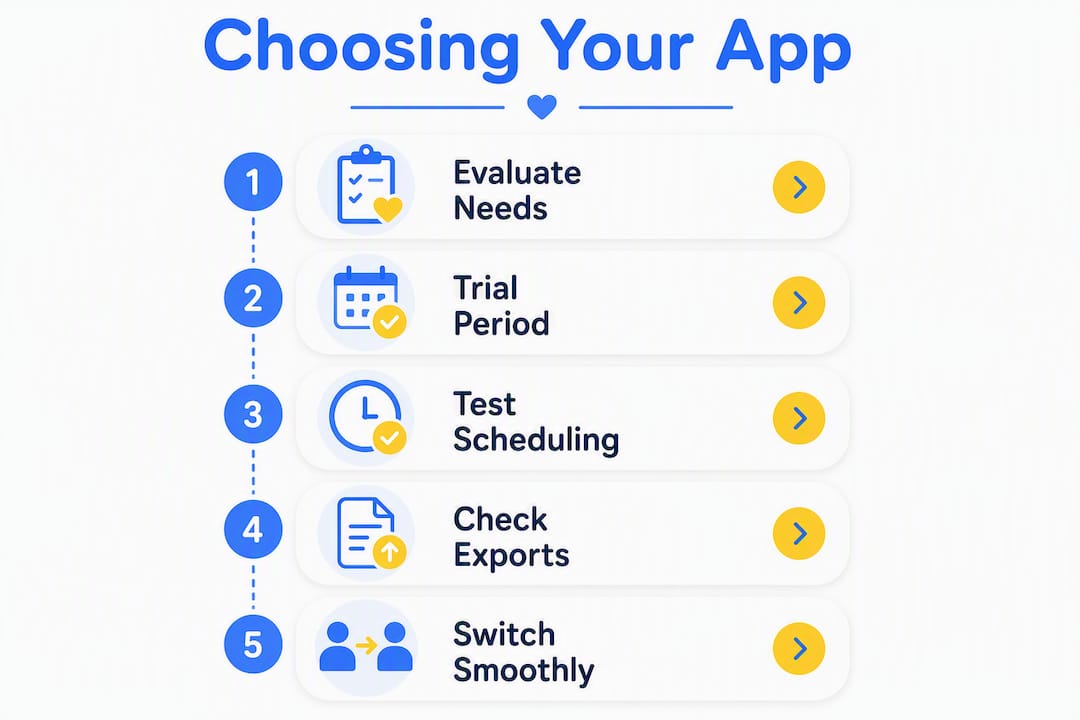
Start here: prioritize apps that are free for caregivers, enforce published roster discipline, and respect your availability on mobile. Everything else is secondary.
Evaluation criteria, in order of importance:
- Free caregiver pricing (non-negotiable; you should not pay for your own work tools)
- Published roster with instant push notifications
- Mobile availability and time-off controls
- Reliable timers with an employer approval step
- Clean export format your employer's payroll process will accept
- Care information sharing with appropriate permission controls
- State-aware overtime rules or employer-side payroll help
Questions to ask your employer before switching:
- "Will you accept exported hours from my app as the official record?"
- "Who runs payroll, and what format do they need hours in?"
- "How do you want last-minute swaps or same-day callouts handled in the app?"
- "Will you approve my hours weekly inside the app?"
Red flags to watch for:
- Apps that lock time tracking or schedule viewing behind a paywall for caregivers
- Timers with no employer verification or approval step
- No push notifications when the schedule changes
- No way to log or share care notes (allergies, medications, nap times)
Pro Tip: During a two-week trial, deliberately request one last-minute schedule change and one same-day swap. How the app handles those two scenarios tells you more about its real-world reliability than any feature list. Published roster discipline means changes go through the app officially, not through a separate text message.
Why we recommend Thecaretracker as the top pick
The combination of free-for-caregiver pricing, published roster discipline, and integrated care information outweighs every other factor for nannies and solo caregivers. Here is the evidence behind that judgment.
Three research-backed reasons:
- Integrated scheduling tools cut scheduling errors by 60–80% and missed visits by 30–50%. A standalone time tracker with no scheduling layer cannot deliver that.
- Caregivers prioritize mobile clarity, specifically apps that respect stated availability and time-off preferences. Adoption and retention both drop when an app ignores those signals.
- Published roster discipline, pushing schedule changes officially to all parties, reduces communication gaps compared to ad-hoc text threads. This matters most during same-day callouts and overtime situations.
The strongest scheduling models link published shifts and worked hours on one timeline so caregivers and employers see the same attendance and payroll record. Thecaretracker is built on exactly that principle: the schedule you approve and the hours you log live in the same place, which means disputes about pay are far less likely.
Thecaretracker also publishes comparison content and payroll consultation resources for employers, which signals genuine investment in the household payroll problem, not just a basic timer app.
How to switch apps without losing pay or care records
Follow this sequence the week you switch. Do not skip the parallel-tracking period.
Migration checklist:
- Confirm your employer will accept exported hours as the official record (get this in writing or in-app)
- Screenshot or export all existing care notes and recipient profiles before deactivating the old app
- Run both apps in parallel for two weeks and reconcile hours at the end of each week
- Export your final hours from the old app and get employer sign-off
- Set a formal cutover date, then publish your roster in Thecaretracker
- Confirm the payroll import or weekly approval workflow is working before the first pay period closes
What to export and why:
| Data to export | Why it matters | Typical export format |
|---|---|---|
| Hours and timestamps | Payroll accuracy; dispute prevention | CSV |
| Care notes and daily logs | Care continuity; family reference | PDF or CSV |
| Care recipient profiles | Allergies, meds, emergency contacts | |
| Approved schedule history | Proof of worked shifts | PDF or screenshot |
Run parallel tracking for at least two full weeks. That window covers most pay cycles and gives you time to catch any discrepancy before the old app is gone. If your employer uses a payroll service, Thecaretracker's payroll consultation can help reconcile prior wages and confirm the import format.
Key Takeaways
Thecaretracker is the strongest free-for-caregiver app alternative because it combines accurate hour tracking, published roster discipline, and integrated care profiles in one mobile tool.
| Point | Details |
|---|---|
| Free for caregivers | Thecaretracker's core features cost caregivers nothing; employers cover any payroll add-ons. |
| Published roster matters | Instant push updates reduce scheduling errors by 60–80% and missed visits by 30–50% versus manual or text-based methods. |
| Care profiles are non-negotiable | Allergies, medications, and emergency contacts should live in the app, not a separate notebook. |
| Parallel-track before you cut over | Run both apps for two full weeks and reconcile hours before your first pay period closes. |
| Thecaretracker as your next step | Install the app, run a two-week parallel test, and confirm payroll export format with your employer. |
The trade-off most caregivers miss
The conventional wisdom says "any time tracker will do." It will not. A generic timer tells you how many hours you worked. It does not tell your employer which child has a peanut allergy, whether you approved Tuesday's schedule change, or how to handle overtime when you covered a second family on short notice.
Same-day swaps are where most apps fail. You get a text at 7 AM saying the schedule changed. A general time tracker has no record of that. A published-roster app does, and so does your employer. That shared record is what protects your pay when there is a disagreement at the end of the month.
A simpler time tracker is fine if your employer already handles scheduling through a separate system and you only need a clock-in record. But for most nannies managing one or more households, the scheduling layer and the care notes are not extras. They are the job.
Useful sources
- Home Care Scheduling Technology Guide (AveeCare): Scheduling ROI figures, error-reduction data, and a breakdown of what integrated tools do that manual methods cannot.
- Caregiver Scheduling Software: Evaluate and Implement (ekipa.ai): Practitioner insight on mobile clarity, availability controls, and why caregivers adopt or abandon scheduling apps.
- Caregiver Scheduling Best Practices (Heyshift): Published roster discipline, exception-scenario testing, and how to evaluate a platform's real operational maturity.
- Thecaretracker main site: Feature overview, free caregiver pricing, and app download links.
- Caregiver app alternatives comparison (Thecaretracker blog): Side-by-side look at caregiver app options with notes on pricing and scheduling features.
- Payroll consultation for employers (Thecaretracker): Details on the employer-paid payroll reconciliation and compliance service.