Finding a nanny scheduling and communication app that provides practical scheduling, clear messaging, and simple billing can be harder than expected. Many nanny app options are built for big centers, make customization difficult, or restrict billing and support flexibility. This comparison highlights four alternatives so directors and administrators can match features, support, and pricing with what their program actually needs.
Table of Contents
At a Glance
Completely free for caregivers, CareTracker centers on scheduling, time clocks, and shared care profiles for nannies and in-home aides. The app stores medication lists, allergies, emergency contacts, and daily routines, so families and caregivers can access details quickly. That focus helps reduce phone tag and paper notes between shifts.
brightwheel
At a Glance
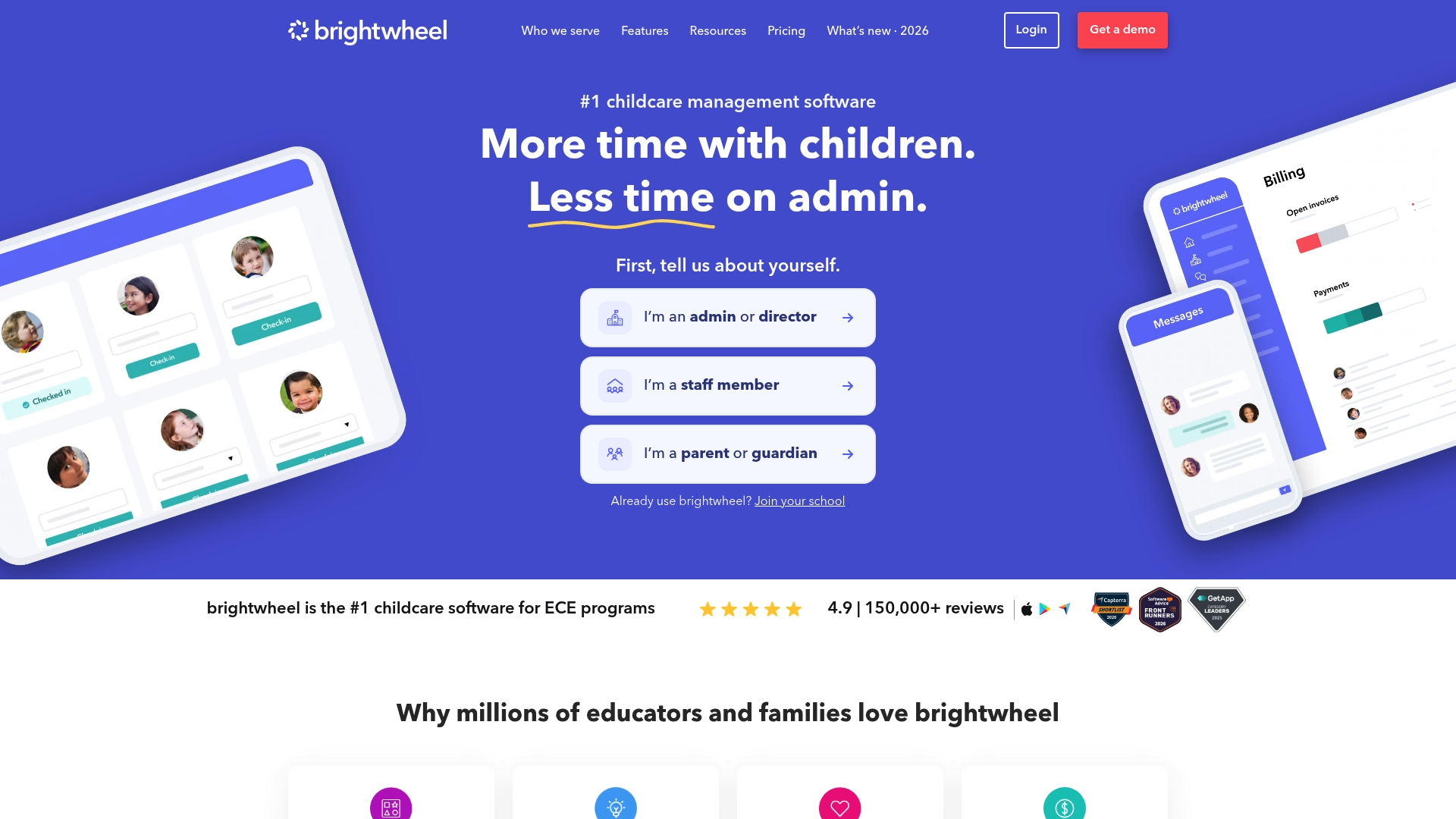
Attendance and check-in tracking includes digital health checks and room ratio management, which many centers use at drop-off. The vendor advertises strong parent engagement and automated billing to reduce paperwork for staff. Brightwheel packages enrollment, messaging, lesson planning, and payments into one classroom-focused workflow.
Core Features
brightwheel combines enrollment and admissions tools with billing and automated invoicing, so centers can manage registrations and payments from one interface. The platform also offers parent and staff messaging, curriculum and lesson planning, plus attendance and check-in tools that include health checks and room ratio controls.
Key Differentiator
brightwheel’s main strength is its classroom-focused integration of administrative and family-facing tools. That single workflow links enrollment, billing, lesson planning, and real-time family updates, which reduces the number of separate systems a preschool or center must operate.
Pros
Users praise the platform for being easy to use and for grouping administrative functions in one place, which reduces duplicate data entry. Real-time updates and photos strengthen parent engagement and make daily communication simpler. Automation of routine tasks like invoicing and subsidy tracking removes repetitive work for office staff and directors.
Cons
- User reviews report billing can be complex and support responsiveness varies, which may slow problem resolution.
- Some customers report app slowness and occasional bugs that interrupt daily workflows.
- Canceling subscriptions can be difficult for a subset of users, adding friction when switching vendors.
- A number of users find customization options limited compared with highly configurable enterprise systems.
When It May Not Fit
If you run a large multi-site program with complex, custom billing rules, brightwheel’s billing workflow may feel restrictive. Programs that require deep UI customization or guaranteed fast support response should consider alternatives. Also, organizations that cannot tolerate occasional mobile app performance issues should test the app thoroughly before committing.
Who It's For
brightwheel fits childcare centers, preschools, and early childhood education programs that want a single system for registration, daily communication, and billing. Directors or administrators who prefer an out-of-the-box classroom workflow and fewer point tools will find its feature grouping useful.
Real World Use Case
A preschool uses brightwheel to handle new student registration, set up recurring tuition invoices, and send daily photos and notes to families. Staff use the attendance and check-in features to record classroom ratios and health checks at arrival, reducing paper forms and saving office hours each week.
Pricing
Pricing varies and is generally subscription based. The vendor offers a free demo, and specific plan costs are provided on request. Contact brightwheel for a tailored quote and to review which features ship with each subscription level.
Website: https://mybrightwheel.com
Lillio
At a Glance
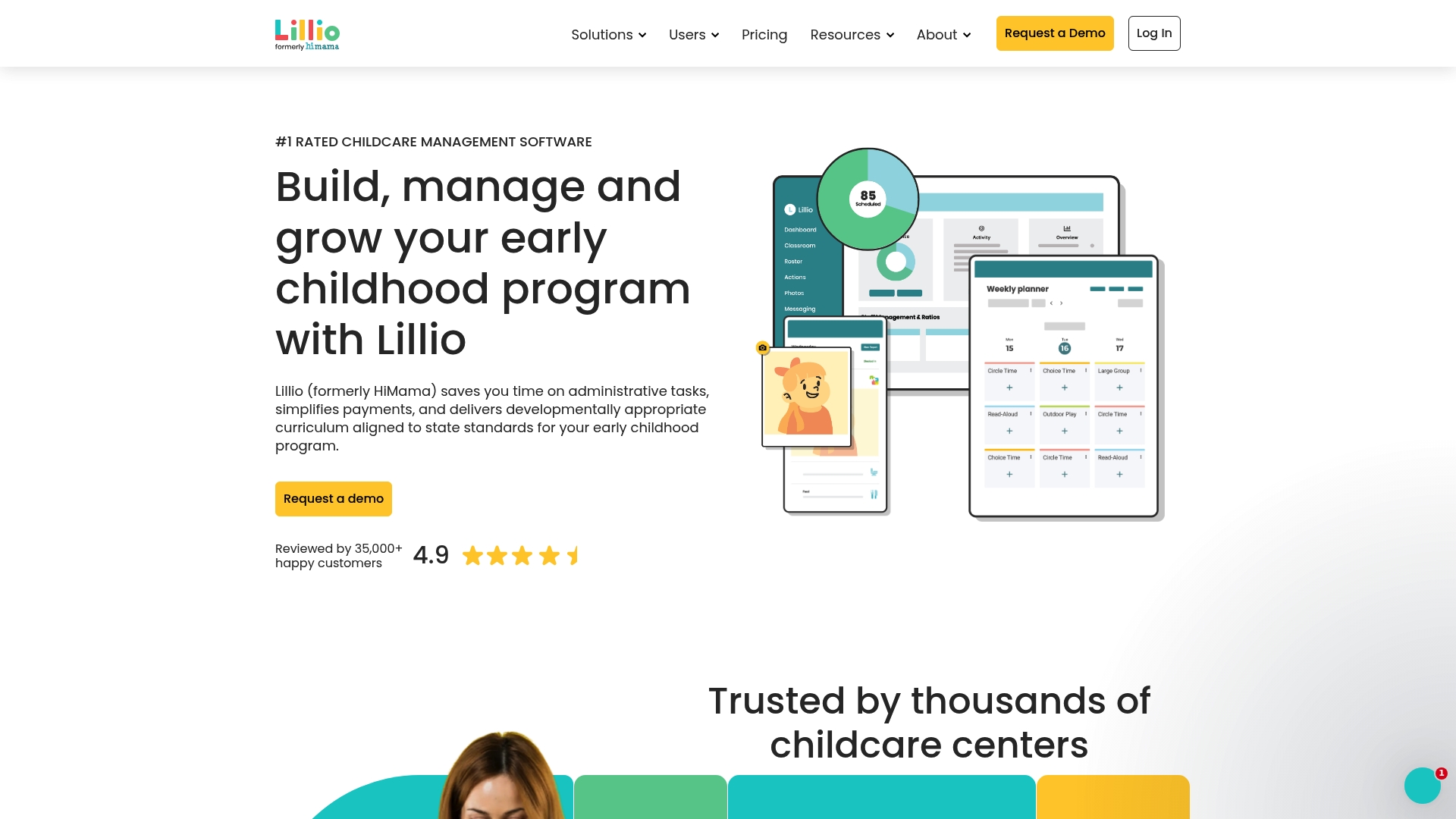
Lillio reports it is trusted by over 35,000 users. The platform targets early childhood education centers with tools for administrative automation and parent communication. It also bundles a curriculum library with real time alerts to keep families informed.
Core Features
Lillio combines administrative task automation with a payment management system that handles invoices and family billing. The product includes a developmentally appropriate curriculum and a set of parent communication tools that support multimedia sharing. Staff receive real time notifications and updates so classroom events and incidents get logged and pushed to families quickly.
Key Differentiator
Lillio stands out for its mix of easy to use design, strong multimedia capabilities, and responsive support aimed at early childhood centers. That focus makes it a better fit for centers that want an institutional grade tool rather than an app built for individual caregivers. The vendor highlights its usability and support as core strengths for center administrators.
Pros
The interface is intuitive enough for busy teachers to adopt quickly, which reduces training time and daily friction. Multimedia sharing and push notifications make parent communication richer and more immediate. Customer support is responsive, and analytics for child development give directors data they can act on for curriculum planning.
Cons
- Some interface elements feel clunky and require extra clicks. That slows routine tasks for staff managing multiple classrooms.
- Photo and video downloads can be cumbersome, especially when saving large batches for family records. This affects centers that deliver lots of multimedia each day.
- Notification settings are inconsistent across devices, so some families report duplicated or missing alerts. This creates follow up work for staff.
- Billing relies on invoice processing in ways that limit flexible payment workflows. Centers with complex billing needs may find the system restrictive.
When It May Not Fit
If your center prioritizes highly streamlined navigation for dozens of simultaneous users, Lillio may frustrate staff with its navigation quirks. If you require advanced invoicing workflows or custom billing automation, the invoice based limits will feel restrictive. Programs that produce large volumes of photos and videos should expect extra media management overhead.
Who It's For
Lillio fits childcare centers and early childhood education programs that need an all in one management and communication platform. Center directors, administrative staff, and lead educators who manage billing, daily reports, and curriculum planning will get the most value. The app is not aimed at independent nannies or single caregivers.
Real World Use Case
A medium sized childcare center uses Lillio to publish daily reports, push nap and meal updates, and send classroom photos to families. The director runs monthly billing from the payment module and pulls development analytics to adjust lesson plans. Teachers spend less time on paperwork and more time on guided activities.
Pricing
Pricing is not publicly listed. The product entry shows the pricing field as Not applicable — informational only, so centers should contact Lillio for a quote and implementation details.
Website: https://lillio.com
myKidzDay
At a Glance
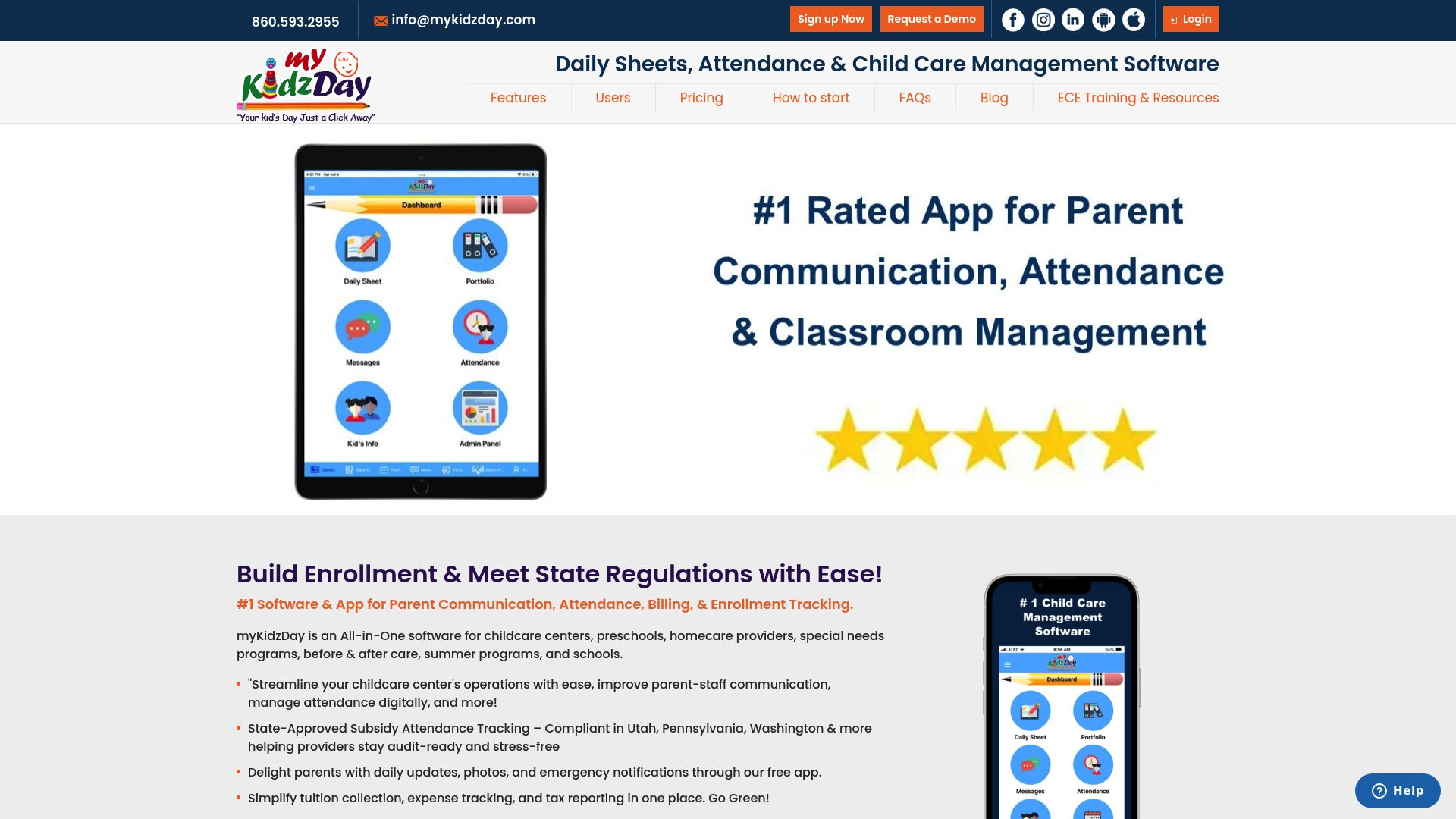
Pricing starts at $1.00 per child/month or $10.00 per room/month, and that includes setup, training, and support. Parents and staff access the mobile and web apps for free. The system uses QR codes or PINs for touchless attendance and supports CACFP meal counts for reimbursement reporting.
Core Features
myKidzDay combines attendance, billing, meal reporting, and parent messaging in a single childcare platform. It manages family and staff records, immunizations, incident reports with digital signatures, and offers online registration and waitlist tools. Mobile apps for iOS and Android plus a web portal let directors, teachers, and parents work from their preferred device.
Key Differentiator
The standout feature is the focus on touchless attendance paired with meal reporting and compliance tools. myKidzDay ties QR code and PIN check in to CACFP meal counts and automated reimbursement reports. That linkage reduces duplicate data entry across attendance, meal, and billing tasks for childcare settings.
Pros
Staff pick up the basics quickly because the interface is simple and training is included with onboarding. Daily reports with photos and real time messaging improve parent communication and emergency notifications. The platform also supports multiple user roles and combines billing expense tracking and tax report generation with CACFP meal reporting.
Cons
- Overly simplistic layout; some users want more advanced media or scheduling features.
- Missing calendar functions that would help with long term planning and event tracking.
- Glitchy sign in and sign out experiences have been reported by some users.
- No video upload option for parent messages or incident documentation.
When It May Not Fit
myKidzDay is built for small to mid sized childcare operations and family providers. Larger organizations that need advanced scheduling tools or rich multimedia messaging will find gaps. If your center needs roster automation beyond room level or native video sharing, this product may come up short.
Who It's For
Directors, administrators, and staff at childcare centers, preschools, and family childcare homes who want an easy to learn system for attendance, meals, and parent communication. It suits programs that must track CACFP meal counts and produce licensing reports.
Real World Use Case
A daycare center uses QR codes for daily check in, sends photos and notes to parents through the app, and runs CACFP meal reports each month. The staff exports tax and billing reports from the same portal, cutting time spent on paper forms and manual counting.
Pricing
The vendor prices the product at $1.00 per child per month or $10.00 per room per month, which includes setup training and support. Discounts are available for non profits, and the apps are free for parents and staff.
Website: https://mykidzday.com
Kindertales
At a Glance
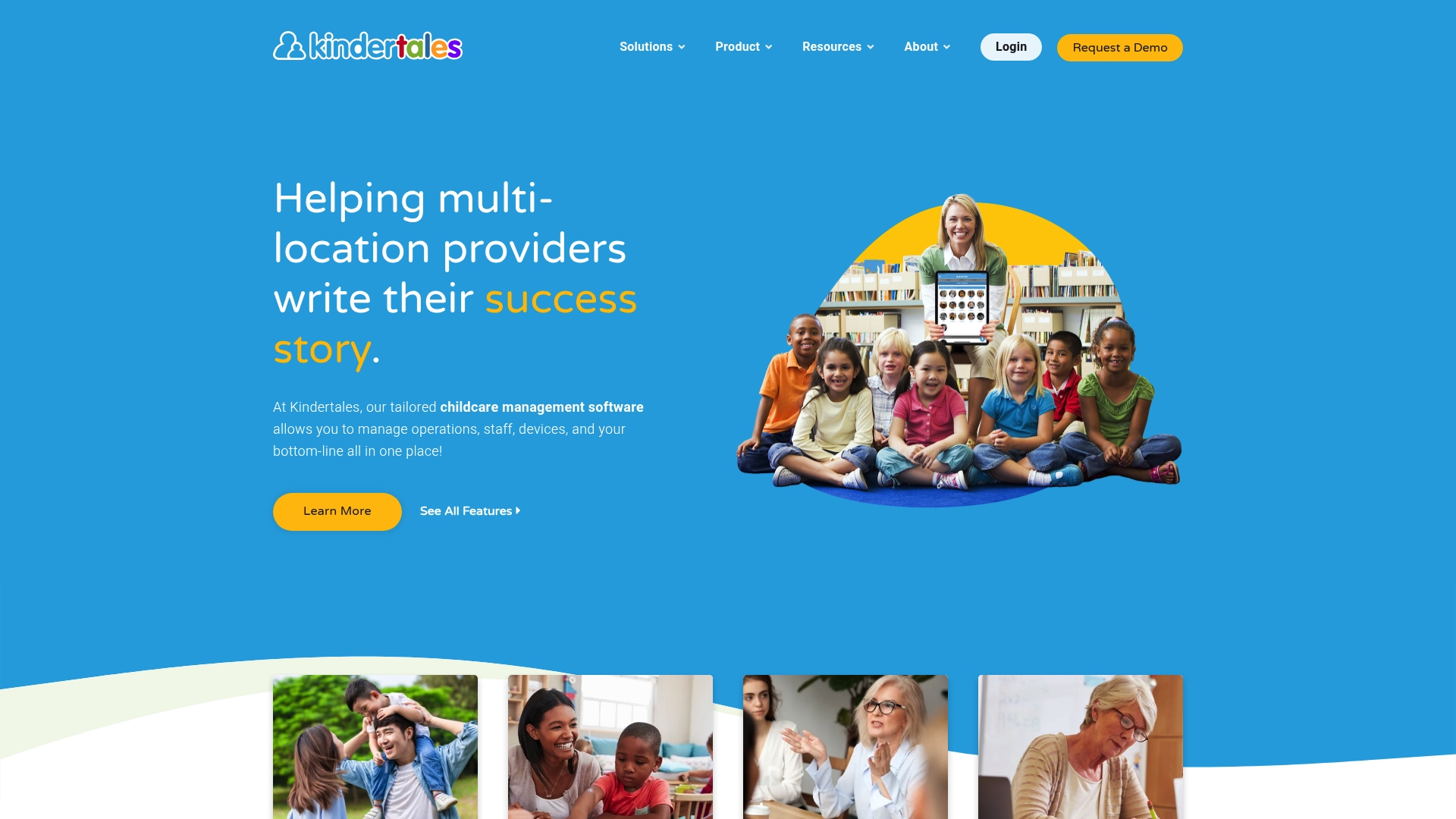
Kindertales supports attendance checks using QR code and facial recognition for contactless sign-in, so the platform also includes enrollment, billing, and milestone tracking. That mix aims to reduce manual paperwork and speed daily routines for centers.
Core Features
The platform combines center management with an integrated CRM and waitlist controls so administrators can manage enrollments and leads in one place. Billing and payments plug into attendance and enrollment records, which lets staff link invoicing to actual hours. Messaging, multimedia sharing, customizable registration forms, and multi location controls support family communication and compliance tracking across campuses.
Key Differentiator
Built by childcare providers, Kindertales focuses on workflows common to centers and offers dedicated customer support. Its strength lies in features tailored to administrators who run multiple locations and need centralized reporting and permission controls. That focus shapes product choices and customer service priorities.
Pros
Customer support is responsive and helps centers resolve setup and operational issues quickly. The dashboard centralizes enrollments, billing, attendance, and milestone documentation so managers see vital metrics at a glance. Attendance tracking includes QR code and facial recognition options, which reduces lines during drop off and pick up. Multimedia sharing and customizable forms help classrooms capture developmental records and keep families informed.
Cons
- Messaging interface feels clunky and can slow parent communication when quick replies are needed.
- Persistent bugs affect employee clock in features and can interrupt payroll workflows.
- The user experience is less intuitive than major competitors and often requires hands on training.
- Initial setup has a steeper learning curve for staff unfamiliar with center management systems.
When It May Not Fit
Centers that want a very intuitive interface with minimal training will find the experience frustrating. Programs that rely heavily on instant messaging and rapid parent replies may be slowed by the current messaging workflow. Small single site programs with simple needs might prefer a lighter, easier to learn tool.
Who It's For
Center owners, directors, and administrators who manage multiple locations and need unified enrollment, billing, and compliance tracking will get the most value. The product suits teams willing to invest time in setup and training to gain centralized control and reporting. Administrators who value dedicated support will appreciate the vendor focus.
Real World Use Case
A multi center daycare uses Kindertales to link attendance scans to billing and enrollment records. Staff use customizable registration forms to collect emergency contacts and health details. Directors run compliance reports and share milestone updates and photos with families through the platform, reducing duplicate data entry.
Pricing
Pricing is not publicly disclosed. The vendor typically provides tailored quotes based on center size and required features. Prospective buyers should contact sales for a customized estimate and contract details.
Website: https://kindertales.com
Comparing Nanny and Childcare Apps
Identify the best digital platform for managing your childcare and organizational needs with this comparison of service features. Below highlights their key attributes.
| Product Name | Key Features | Best For | Pricing | Limitation |
|---|---|---|---|---|
| Thecaretracker | Scheduling, profiles, medication tracking | Family caregivers | Free | Aimed specifically at in-home caregiving scenarios |
| brightwheel | Enrollment, lesson planning, real-time parent messaging | Preschools and early education centers | Price not published | May encounter app performance issues |
| Lillio | Administrative automation, developmentally appropriate curriculum | Medium-sized childcare centers | Price not published | Navigation quirks with some interface elements |
| myKidzDay | CACFP compliance tools, touchless attendance | Small to mid-sized childcare operations | $1 per child/month | Absence of native video sharing feature |
| Kindertales | Multi-location management, customizable enrollment onboarding forms | Large childcare networks | Price not published | Intuitive interface requires additional training to master |
What Challenges Do Caregivers Face When Choosing The Best Nanny Apps?
Choosing the best nanny apps means facing everyday hurdles like juggling schedules, tracking hours, and keeping care details accessible. Families and caregivers often struggle with managing multiple tools and missing critical information during shifts. Thecaretracker addresses these common challenges by offering a completely free app for caregivers that combines scheduling, accurate time tracking, and instant access to important care info like allergies, medications, and emergency contacts.
You can easily view all your jobs in one calendar and approve schedule requests quickly. Communication improves with real-time updates on nap and nursing schedules and daily activities. See how Thecaretracker keeps families and caregivers connected and organized without extra costs or complexity.
Explore Thecaretracker to simplify your caregiver tasks, track hours accurately, and access vital care details instantly. Get peace of mind with a free tool built specifically for nannies and in-home aides.
FAQ
How does Thecaretracker support scheduling for nanny services?
Thecaretracker helps caregivers manage scheduling easily with features like customizable calendars and shift reminders. The app allows families and caregivers to collaborate on daily routines and accessibility for quick updates, ensuring everyone is informed. You can expect efficient time management and clear communication through the app's scheduling tools.
What is the difference between brightwheel and Thecaretracker?
Brightwheel excels in providing a strong parent engagement interface with features like automated billing and digital health checks. In contrast, Thecaretracker focuses more on scheduling and communication for nannies, which is ideal for households looking for seamless communication about daily care. Choose Thecaretracker if your main need is for nanny-specific scheduling features.
Which platform offers dedicated curriculum resources?
Lillio stands out by combining administrative tools with a developmental curriculum, tailored for early childhood education centers. Thecaretracker, while focused primarily on scheduling and communication, does not provide dedicated curriculum resources, making it less suitable for education-focused environments. If curriculum resources are crucial, consider Lillio.
Can I use Thecaretracker if I have a large multi-site operation?
Thecaretracker is primarily designed for household employers and may not scale as effectively for large multi-site operations compared to platforms like Kindertales. Those managing numerous locations might need solutions with centralized reporting to streamline their administrative processes. However, Thecaretracker can be a great fit for individual households or small operations seeking simple scheduling and communication.
How does Thecaretracker ensure accurate attendance tracking?
Thecaretracker provides features like time clocks and shared caregiver profiles, which enable accurate attendance tracking. These tools minimize errors and streamline communication by keeping all relevant information in one accessible place. Users can expect reliable attendance documentation that maintains transparency between families and caregivers.