
Thecaretracker is the best family calendar app for nannies, in-home caregivers, and the household employers who manage them in the United States. Three reasons stand out immediately:
- Unified job calendar: caregivers see every job in one place, and employers see the full schedule without chasing texts.
- Built-in weekly hours tracking with exportable records: time entries support the FLSA recordkeeping requirements household employers must meet under 29 CFR part 516.
- Free caregiver access: nannies and caregivers use the core app at no cost, which removes the friction that kills adoption on other platforms.
The setup checklist in Section 6 and the FLSA recordkeeping summary in Section 4 give you the evidence behind that recommendation.
Key Takeaways
Thecaretracker is the right choice for U.S. household employers and caregivers because it combines a unified job calendar, FLSA-compliant time tracking with exportable records, and free caregiver access in one app.
| Point | Details |
|---|---|
| FLSA recordkeeping is mandatory | Household employers must keep daily and weekly hours records for three years; payroll computation records for two years. |
| Any timekeeping method is acceptable | The DOL allows time clocks, timekeepers, or employee-entered times — accuracy and completeness are what matter. |
| Fixed schedules need exception tracking | Keep the agreed schedule on file and record exact hours whenever actual time differs from the plan. |
| Exportable records are non-negotiable | An app without a weekly export function cannot support your payroll workflow or a DOL audit. |
| Thecaretracker covers the full checklist | Free for caregivers, it provides schedule approvals, clock-in/out tracking, weekly exports, and care profiles in one place. |
Table of Contents
- Why the best family calendar apps for caregivers are different from generic ones
- What features must a nanny and caregiver calendar app include?
- What does the FLSA actually require household employers to keep?
- How Thecaretracker covers the compliance and workflow checklist
- How to set up Thecaretracker in one week
- Why the compliance angle is the one most employers miss
- Thecaretracker: free for caregivers, built for compliance
- Useful sources for household employers
Why the best family calendar apps for caregivers are different from generic ones
A consumer family organizer tracks soccer games and grocery runs. A caregiver-specific scheduling app tracks compensable hours, and that distinction carries legal weight for household employers.
Caregiver apps combine three things a generic calendar cannot: a scheduling layer with formal request-and-approval flows, a time-tracking layer that produces an auditable record of hours worked each day and each workweek, and a care-details layer that stores allergies, medications, and emergency contacts. When a Department of Labor audit happens, you need the first two. When a caregiver needs to act fast in an emergency, you need the third.
Security matters here too. Apps handling a child's medical information, a caregiver's Social Security number, and a family's home address need role-based access controls and encrypted data storage. A generic family scheduling app is rarely built with those standards in mind. When evaluating any caregiver scheduling tool, confirm that sensitive fields are access-controlled and that data is not shared with third-party advertisers.
What features must a nanny and caregiver calendar app include?
Use this checklist before committing to any app. Every item on it corresponds to a real compliance or workflow risk if it is missing.
Must-have features
- Exportable weekly reports — CSV or PDF exports are the bridge between your app and your payroll workflow. Nanny payroll setup requires accurate weekly hour totals before you can calculate gross pay and overtime.
Questions to ask any vendor
- Can a caregiver use the app for free, or do they need a paid account?
- Does the app produce a weekly hours summary I can export and store for three years?
- Are time entries locked after approval, or can they be edited without a log?
Red flags to avoid
- No export function at all.
- No audit trail showing who changed a time entry and when.
- Caregivers required to pay before they can clock in.
- No encryption or privacy policy covering sensitive care data.
What does the FLSA actually require household employers to keep?
Under the Fair Labor Standards Act, household employers covered by the law must maintain specific records for each domestic service worker. 29 CFR § 552 and part 516 define what those records must contain.
Required records include: employee's full name and Social Security number, home address, date of birth (if under 19), occupation, time and day the workweek begins, hours worked each workday and total hours each workweek, total straight-time wages, total overtime pay, all additions to or deductions from wages, total wages paid each pay period, and the date of payment and pay period covered.
Retention periods: basic payroll records must be kept for three years; records used to compute wages (time cards, work schedules, wage rate tables) must be kept for two years.
Live-in worker rules: live-in domestic service employees are exempt from overtime pay under the FLSA, but the employer must still maintain complete records of hours worked each day and each workweek. The exemption does not eliminate the recordkeeping obligation.
Fixed schedule handling: per J.J. Keller's FLSA guidance, employers may use any timekeeping method they choose — a time clock, a timekeeper, or employee-entered times — as long as records are complete and accurate. For fixed schedules, you may keep a copy of the agreed schedule and mark adherence; when actual hours differ from the schedule, you must record the exact hours worked that day.
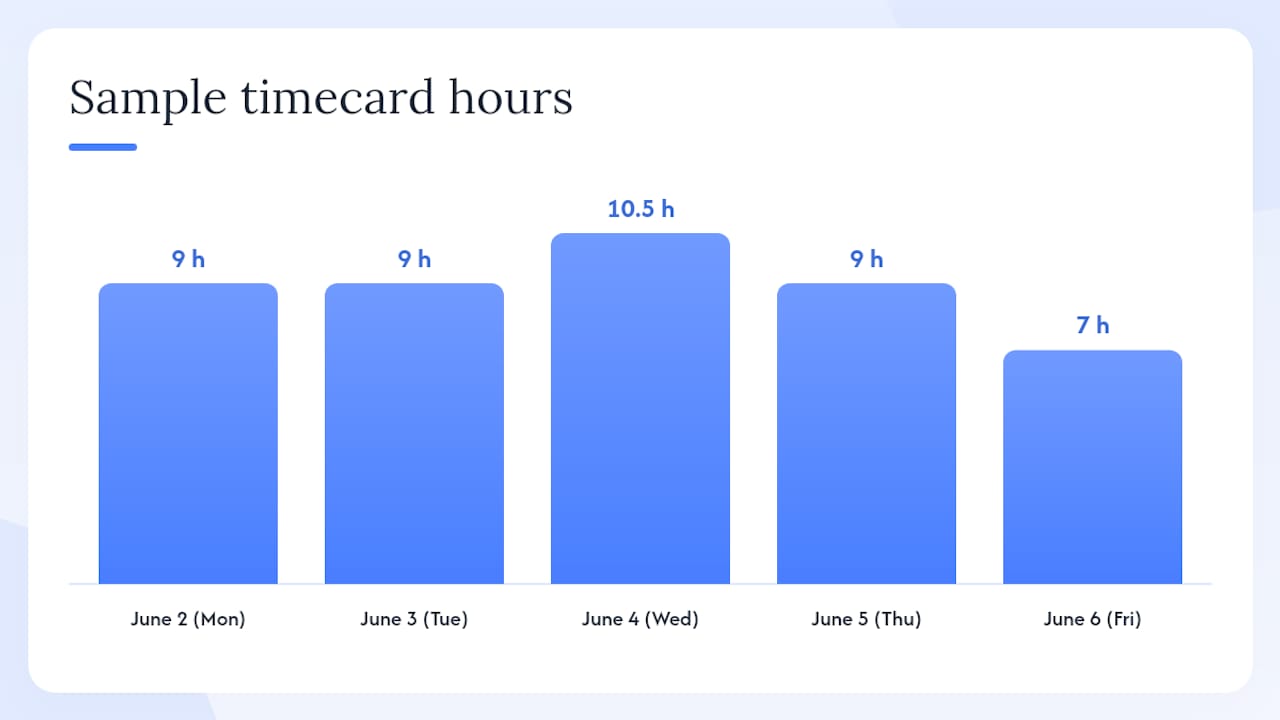
Sample timecard format:
| Date | Day | Scheduled Hours | Clock In | Clock Out | Actual Hours | Notes |
|---|---|---|---|---|---|---|
| June 2 | Monday | 8 AM–5 PM | 7 AM | 5 PM | 9 | Early arrival, employer request |
| June 3 | Tuesday | 8 AM–5 PM | 8 AM | 5 PM | 9 | On schedule |
| June 4 | Wednesday | 8 AM–5 PM | 8 AM | 6 PM | 10.5 | Extended: parent meeting |
| June 5 | Thursday | 8 AM–5 PM | 8 AM | 5 PM | 9 | On schedule |
| June 6 | Friday | 8 AM–3 PM | 8 AM | 3 PM | 7 | On schedule |
A nanny timesheet template structured this way satisfies the DOL's format requirements and gives you a clean record to store.
HomeWork Solutions recommends keeping contemporaneous records that capture all hours on duty and any on-call time, and pairing those records with a signed written work agreement to reduce disputes.
How Thecaretracker covers the compliance and workflow checklist
Thecaretracker maps directly to the requirements above. The table below shows the match.
| Required item | How Thecaretracker addresses it |
|---|---|
| Agreed schedule in writing | Schedule request and approval flow; both parties confirm before the shift |
| Daily and weekly hours record | Clock-in/clock-out entries with weekly summary view |
| Exception and overtime notes | Per-entry notes field; employer reviews before approving |
| Exportable wage records | Weekly timesheet exports in formats compatible with payroll workflows |
| Care recipient profiles | Allergy, medication, emergency contact, and nap/nursing schedule fields |
| Multi-caregiver management | Employer dashboard supports multiple caregiver accounts |
| Data security | Role-based access; caregivers see only their own records and assigned care profiles |
Typical employer-caregiver workflow:
- Employer sends a schedule request through the app.
- Caregiver reviews and approves the shift.
- Caregiver clocks in and out; any exception gets a short note.
- Employer reviews the weekly summary and approves hours.
- Employer exports the record and files it with payroll.
Pro Tip: Require caregivers to add a one-line note any time actual hours differ from the schedule by more than 15 minutes. That single habit eliminates most end-of-week disputes and keeps your FLSA records clean.
Pro Tip: Run a weekly confirmation step every Friday: review the summary in Thecaretracker, approve it, and export it before the next pay period opens. Waiting until payroll day creates errors that are harder to trace.
How to set up Thecaretracker in one week
- Create your employer account at thecaretracker.com and complete your profile.
For onboarding, Thecaretracker's free caregiver access means your nanny or sitter can be up and running in under ten minutes. If a caregiver has trouble with the app in the first week, the most common issue is notification permissions — check that the app has permission to send alerts on their device. A nanny schedule template can help you pre-fill the first week's schedule so the caregiver sees a complete calendar from day one.
Why the compliance angle is the one most employers miss
Most household employers search for a family scheduling app thinking they need a better calendar. What they actually need is a time-tracking system with an audit trail. The calendar is almost incidental.
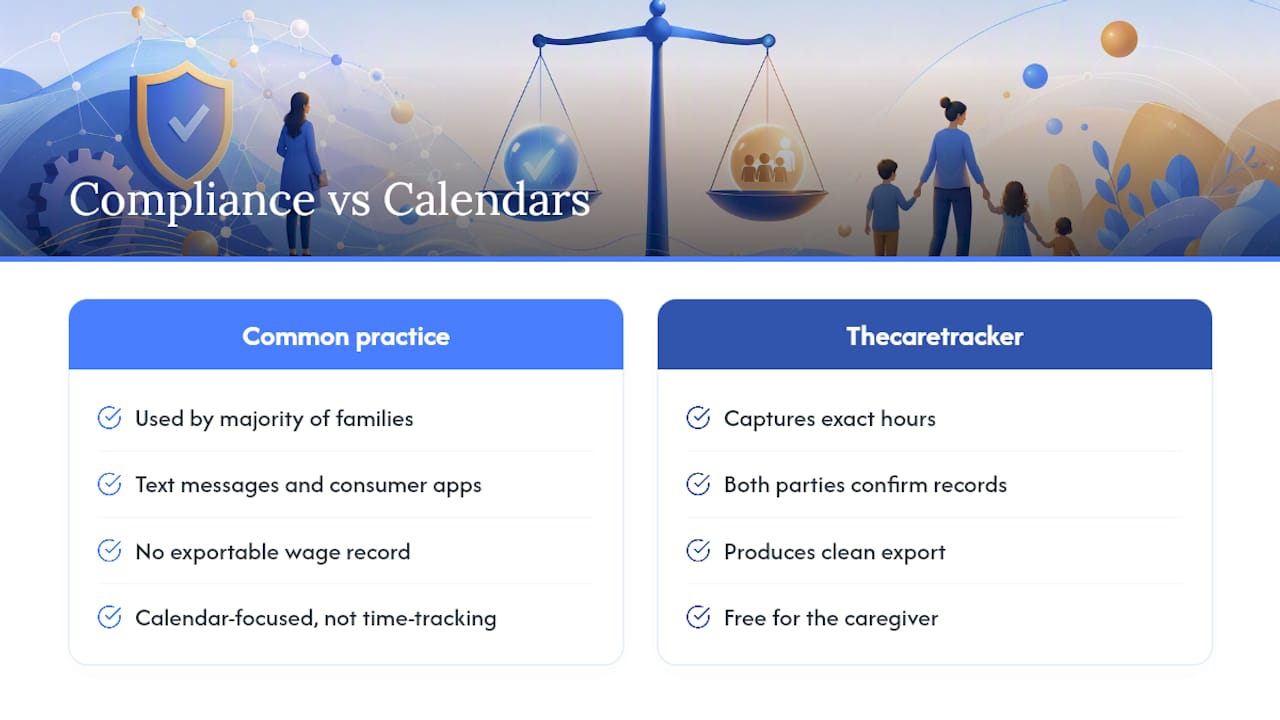
The FLSA's recordkeeping rules apply to most household employers who pay a nanny or in-home caregiver above the coverage thresholds, and the penalties for non-compliance are real. Yet the majority of families I see coordinating care are still using text messages and consumer calendar apps that produce no exportable wage record whatsoever.
The right app does not need to be complicated. It needs to capture exact hours, allow both parties to confirm the record, and produce a clean export. Thecaretracker does all three, and it does them without charging the caregiver anything. That combination of compliance support and zero friction for the person actually clocking in is what makes it the practical choice over generic family organizers.
Thecaretracker: free for caregivers, built for compliance
Caregivers use Thecaretracker at no cost. From the moment your nanny downloads the app, they can view their full job calendar, approve schedule requests, clock in and out, add shift notes, and access care profiles with allergies, medications, and emergency contacts — all without paying a subscription fee.

For employers, the app provides the schedule approval flow, multi-caregiver dashboard, weekly hour summaries, and export tools you need to stay FLSA-compliant. If you also need help with payroll filings, tax calculations, or state-specific overtime rules, Thecaretracker offers a payroll consultation service designed specifically for household employers.
Visit thecaretracker.com/timetracker to see the time-tracking workflow, or go to thecaretracker.com/ourapp for a full overview of employer features. Download the app, invite your caregiver, and have your first compliant weekly record ready before the next pay period closes.
Useful sources for household employers
- Fact Sheet #79C: Recordkeeping Requirements for Individuals, Families, or Households Who Employ Domestic Service Workers Under the FLSA | U.S. Department of Labor
- Federal & State Regulations | Fact Sheet 21: Recordkeeping Requirements Under the Fair Labor Standards Act (FLSA) | J. J. Keller® Compliance Network
- Tracking Hours Worked for Nannies | HomeWork Solutions
- How to Set Up Nanny Payroll: Step-by-Step Guide | Beverly
This article provides general information about U.S. recordkeeping requirements and is not legal or payroll advice. Confirm current rules with the Department of Labor or a qualified household employment professional.