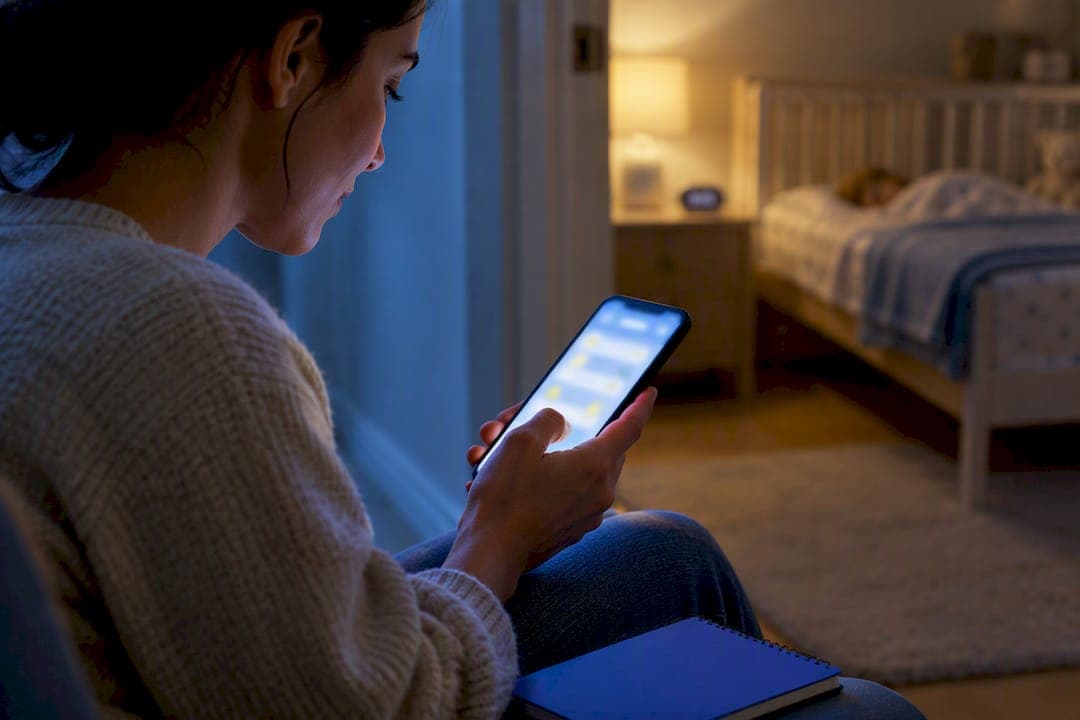
Yes, you can and should record scheduled sleep as a block with a start and end time, then log every interruption, feed, diaper change, or dose of medicine, as its own timestamped task. This keeps sleep and active care separate in the timeline. Real-time entries work best, but a saved draft finished within an hour of the shift's end keeps the record accurate. Clear timestamps protect you and give parents a summary they can trust.
TL;DR:
- Logging sleep as a block with separate timestamped entries for interruptions ensures accurate tracking and clear communication with parents.
- Use fixed tags like "sleep," "feed," "diaper," or "med" consistently for easy filtering and to avoid confusion during handoffs.
- Finish and verify all entries within an hour of ending a shift to maintain detail accuracy and prevent record discrepancies.
- Employ objective, factual notes and timestamps, especially when reporting to parents or documenting for legal purposes.
- Use dedicated apps supporting offline sync to ensure data is captured accurately despite potential connectivity issues overnight.
Table of Contents
- What to log overnight: fields and sample entries
- How to separate interruptions from sleep time in your app
- Adapting a clinical sleep diary for nanny shift logs
- App workflow best practices for accurate overnight records
- Morning summary template and checklist for parents
- Legal and contractual considerations for sleep time logging
- Nanny-parent communication about sleep observations
- A working nanny's short perspective: record-keeping protects your time and the family
- How CareTracker supports the logging practices above
- Authoritative sleep-diary templates and reference docs
- Sources
- FAQ
What to log overnight: fields and sample entries
A useful overnight log borrows its structure from clinical sleep tracking, adapted for caregiving. The Consensus Sleep Diary lays out the core fields worth carrying into a nanny app: time into bed, time the child tried to sleep, the number and length of wakings, final awakening time, a total sleep estimate, any naps or dozes, general sleep quality, and a short note on anything you did to help.
Translate those into your app timeline like this:
- Time into bed: the moment the child was placed down or settled for the night.
- Time tried to sleep: when active soothing stopped and the child was left to fall asleep.
- Waking events: each time the child woke, with a start and end timestamp for the waking itself.
- Final awakening: the last time the child woke up and stayed up.
- Total sleep estimate: a rough total based on the logged blocks, not a guess.
An infant night might show a sleep block from 8:00 PM to 11:15 PM, a feed logged separately from 11:15 to 11:35 PM, then sleep resuming until 3:00 AM. A toddler night might show one long sleep block with a single bathroom wake logged at 2:10 AM. An on-call shift with no wakings can still show a clean sleep block with a note confirming no interruptions occurred. Save these entries within an hour of the shift ending so details stay accurate.
How to separate interruptions from sleep time in your app
The simplest way to keep a timeline honest is to treat sleep and interruptions as two different kinds of entries, never blended into one vague note. A block labeled "asleep 9:00 PM to 6:00 AM" that actually contained three feeds tells parents nothing useful and can create confusion later about how much active care happened overnight.
- Start a sleep block the moment the child is settled, and label it plainly, something like "scheduled sleep, no active care."
- Close that block the instant you begin an interruption, even if it is brief.
- Log the interruption on its own line with a start time, an end time, and a short description: "feed," "diaper change," "gave prescribed medicine per parent instructions."
- Reopen a new sleep block once the child is back down, rather than editing the original entry.
- Repeat this pattern for every waking, no matter how short.
If your app supports tags or categories, use the same three or four labels every time: "sleep," "feed," "diaper," "med." Consistent tags let a parent filter the timeline in seconds instead of reading every note.
Pro Tip: Log a two-minute check the same way you'd log a twenty-minute feed. Vague "quick check" notes are the entries most likely to turn into a disagreement the next morning.
Adapting a clinical sleep diary for nanny shift logs
The Consensus Sleep Diary was built for adults tracking their own sleep, but its structure maps cleanly onto a caregiver's overnight log because both need the same thing: an objective, timestamped record instead of a memory pieced together the next morning.
Adapted fields worth keeping in your app:
- Time into bed and time tried to sleep: separates settling time from actual sleep attempts, which matters when parents ask how long bedtime routines took.
- Number and duration of wakings: gives an objective count instead of "she woke up a few times."
- Final awakening time: marks exactly when the shift's overnight portion ended.
- Total sleep estimate: built from your logged blocks rather than a rounded guess.
- Intervention notes: short, factual entries on anything you did, rocking, a bottle, a diaper change.
Templates from Stanford's two-week sleep diary and the Sleep Foundation's interactive diary show similar fields in practical, fillable formats. The main benefit of this structure is speed at handoff: a parent scanning timestamps in the morning can see exactly what happened without asking you to reconstruct the night from memory. Expand the notes field only when it matters, for example if you gave a sedating medication under the family's explicit instructions. That detail belongs in the log, timestamped like everything else.
App workflow best practices for accurate overnight records
Real-time logging is always the goal. Entering a feed or a waking the moment it happens means no detail gets lost by 6:00 AM. When a child needs your full attention and typing isn't possible, a short draft entry, even a single timestamp with a word or two, holds your place until you can finish it.
- Log in real time when you can, and treat a rushed shift as a reason to save drafts, not skip entries.
- Finish any draft within an hour of the shift ending, while details are still fresh.
- Confirm offline sync before you rely on it. Household Wi-Fi and cell service are not always steady overnight, and an app with offline capability should hold your entries until a connection returns.
- Check timestamps after syncing to make sure nothing shifted or duplicated.
- Write short, factual notes, never a subjective line like "rough night." A timestamp and a plain description do more work than an opinion.
Pro Tip: Practice one full draft-and-sync cycle during a quiet overnight shift before you need it during a hard one.
Once the shift ends, save or export the finished timeline to the job record so it's there if the family asks for it later.
Morning summary template and checklist for parents
A clean handoff takes the timeline you built overnight and compresses it into something a tired parent can read in under a minute.
- Open with one sentence on sleep: "Slept 8:15 PM to 6:00 AM with two brief wakings."
- List each interruption with its timestamp: "11:40 PM feed, 15 minutes" and "3:05 AM diaper change."
- Note any medicine given, including dose and time, if applicable.
- Add a short wellbeing line: mood on waking, appetite, anything worth flagging.
Before sending it, run through a quick checklist: timestamps double-checked, medications recorded with dose and time, emergency contacts current if anything changed, and any requested photos or notes attached. If the family wants a PDF or a weekly report, export the finalized timeline right after you confirm the timestamps, before any later edits touch the record.
Legal and contractual considerations for sleep time logging
Some families include a monitoring or documentation clause in a written care agreement, spelling out what gets logged and how often. If your work agreement mentions logging expectations, follow them exactly and keep your own copy of every summary you send.
Consistent, timestamped logs work in your favor. A record that shows exactly when you were actively caring for a child, rather than a vague verbal account given days later, is the clearest evidence of what actually happened during a shift. This matters most for on-call or overnight positions, where questions can come up about how much of the night involved active care versus scheduled sleep.

If your household uses a nanny cam or a baby monitor with recording features, like those available through Kin One · Kin Watchdog, ask the family directly how that footage is used and whether it's shared or stored, since expectations vary by household. Keep your app-based log independent of any camera footage. Your written timeline is your own record, built in your own words, and it should stand on its own regardless of what a monitor does or doesn't capture.
When a contract or state-specific pay agreement references overnight hours, treat the sleep-logging habits in this guide as separate from that conversation. Your job here is documentation, not negotiation, and a thorough log gives everyone, you included, a clear starting point if a scheduling or pay question ever comes up.
Nanny-parent communication about sleep observations
The morning handoff is the easiest moment to flag a concern before it grows into something bigger. If a child woke more than usual, resisted the bedtime routine, or seemed uncomfortable, say so plainly in the summary rather than burying it in a long paragraph.
Keep sleep-related concerns factual and specific: "Woke three times between midnight and 4:00 AM, seemed unusually fussy during the last waking" tells a parent far more than "had a hard night." Save interpretation for a quick conversation if the family wants one, and let the timestamps carry the facts.
Consistency matters as much as content. If you log and report the same way every shift, parents learn to trust the pattern and stop needing to ask follow-up questions. When something falls outside the routine, a short, direct note in the app, sent the same morning, keeps the family informed without turning a minor observation into an alarming message.

A working nanny's short perspective: record-keeping protects your time and the family
A clean, timestamped log has saved me from more than one confusing morning conversation. When every feed and every waking has its own entry, there's nothing to reconstruct from memory and nothing for anyone to dispute later. Families trust what they can see clearly. Pick one logging routine and use it every single overnight shift.
— mercedes
How CareTracker supports the logging practices above
The app supports workflow that lets you log a sleep block and each interruption separately, keep every shift visible in a unified calendar, and share timestamped records with parents.

- Timeline entries for sleep blocks, feeds, diaper changes, and medications, each with its own timestamp.
- Shared parent visibility so the morning summary is already there when the family wakes up.
- Access for caregivers to use core scheduling and logging features.
Install CareTracker, turn on offline sync before your next overnight, and try one draft entry during a quiet moment in the shift to get comfortable with the flow. You can review the full feature set on the time-tracking page whenever you're ready to start logging.
Authoritative sleep-diary templates and reference docs
The Consensus Sleep Diary is the expert-consensus source behind the fields in this guide. Stanford's two-week sleep diary, adapted from the American Academy of Sleep Medicine, and the Sleep Foundation's interactive diary offer downloadable, fillable versions worth keeping on hand.
Sources
- The Consensus Sleep Diary: Standardizing Prospective Sleep Self-Monitoring
- Two-week sleep diary adapted from the American Academy of Sleep Medicine
- Sleep Foundation — interactive sleep diary
FAQ
How soon after a shift should I finish my sleep log?
Aim to finish within an hour of waking or of the shift ending, while details are still fresh, following the completion window recommended by the Consensus Sleep Diary. A same-day entry is always more accurate than one written from memory later.
Should I log a two-minute check the same as a long feed?
Yes, log every interruption with a start and end time no matter how brief. Vague notes about "quick checks" are often the ones that lead to confusion or disagreement the next morning.
What if my app loses connection overnight?
Use an app with offline entry and automatic sync, then confirm your timestamps once the connection returns. This keeps your record accurate even when household Wi-Fi or cell service drops during the night.
What should I include in the morning summary for parents?
Include a one-line sleep summary, each interruption with its timestamp, any medication given with dose and time, and a short note on the child's mood or appetite. Keep it factual and skip subjective language.
Does CareTracker cost anything for nannies to use?
No, CareTracker's core scheduling and time-tracking features are free for caregivers to use. Details on the app's features are available on the CareTracker landing page.